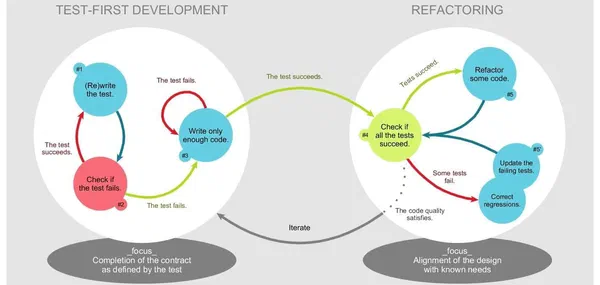
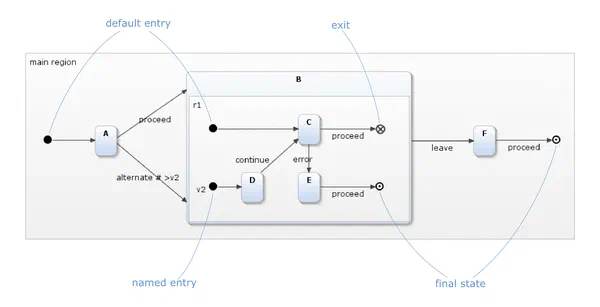
This post is a pure tool comparison. If you’re new to statecharts and want to understand what they are and how they work first, statecharts.online covers the fundamentals in depth, and Modeling with State Machines walks through a worked example. If you want to go straight to itemis CREATE’s features and licensing, head to the itemis CREATE product page.
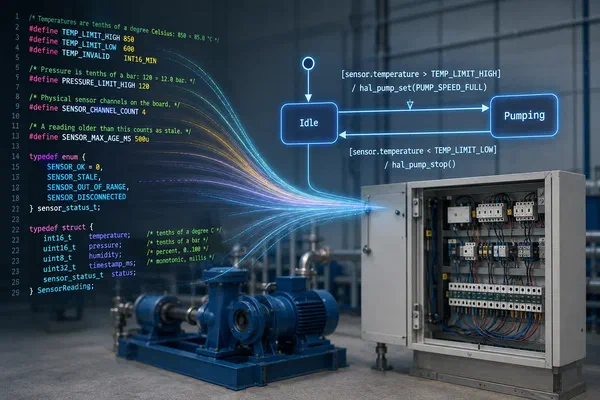
Reactive, event-driven behavior is at the core of most embedded systems: a medical ventilator managing breath cycles, an automotive ECU coordinating safety-critical functions, an industrial controller sequencing process steps. State machines, as defined for example in UML, are particularly well suited to specifying and implementing such systems. Once a team commits to that concept, it has to decide how to model and implement state-based logic — and the tool it chooses shapes productivity, code quality, and collaboration for years to come.
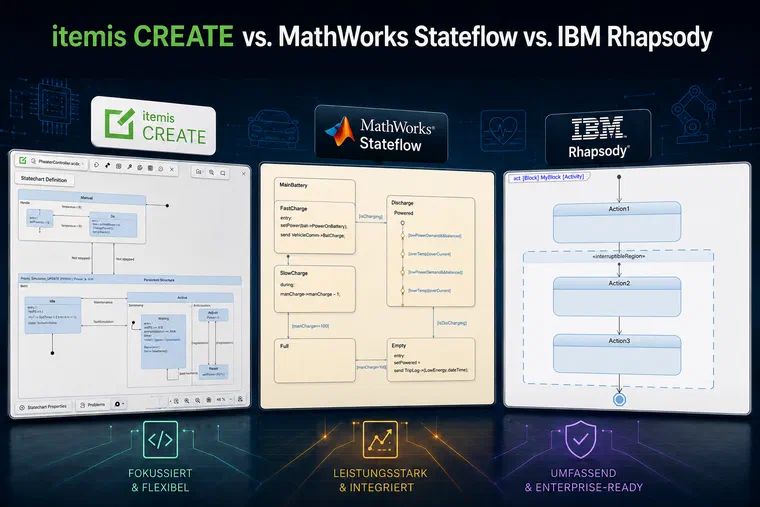
Three tools come up repeatedly in the customer projects I work on: MathWorks Stateflow, IBM Engineering Rhapsody, and itemis CREATE. They share a common subject — statecharts — but represent very different philosophies about what a statechart tool should be.
This post takes a close look at all three: what they offer, where they differ, and what they actually cost.
A Note on Transparency
itemis CREATE is our product. We built it, we use it in customer projects, and we believe in it — which naturally shapes our perspective. We’ve done our best to make this comparison fair and factually accurate, but you should know where we’re coming from. Where we’re comparing ourselves favorably to a competitor, the reasoning is laid out explicitly so you can evaluate it yourself. For context: I have been working on model-driven software development since 2001, at itemis since 2006, and I am the Product Owner of itemis CREATE. Our customers in automotive and medical device development choose itemis CREATE in some projects and one of the other two tools in others, depending on the constraints of the project at hand.
MathWorks Stateflow is an add-on to MATLAB and Simulink. It’s deeply embedded in the MathWorks ecosystem, which is both its greatest strength and its clearest constraint. Teams that already use Simulink for control engineering get seamless simulation and code generation across their entire model. Teams that don’t will need to acquire the full stack just to use statecharts.
IBM Engineering Rhapsody is not primarily a statechart tool — it’s a full UML/SysML modeling environment. Statecharts are one of many diagram types it supports, alongside class diagrams, sequence diagrams, activity diagrams, and AUTOSAR support. This breadth makes it well suited for large, specification-driven systems engineering projects. For generating embedded, real-time capable C/C++ code, it typically requires a separate framework from SodiusWillert (RXF), which adds to both cost and integration complexity.
itemis CREATE (formerly YAKINDU Statechart Tools) is purpose-built for statechart modeling, simulation, and code generation. Its scope is deliberately narrower than Rhapsody’s — it does one thing and does it well. It supports C, C++, Java, Python, C#, and SCXML, runs as a Desktop application, VS Code extension, and web app, and targets the full spectrum from bare-metal microcontrollers to JVM-based server components.
Detailed Feature Comparison
| Feature | Stateflow (MathWorks) | IBM Rhapsody | itemis CREATE |
|---|
| Target Audience | Control engineers, system engineers in MATLAB/Simulink-based workflows | System architects and engineers in safety-critical, specification-driven environments | Software developers and architects, interdisciplinary teams, rapid prototyping |
| Learning Curve | ⚠️ Moderate — powerful for control engineers, but less accessible for software developers or cross-functional teams | ❌ High — high entry barrier due to UML/SysML complexity; requires formal training and long onboarding | ✅ Flat — intuitive modeling interface, good documentation, seamless onboarding |
| License Model | ⚠️ Commercial-only and modular pricing. Hidden costs for many essential features. | ⚠️ High-cost, enterprise-grade licensing. Typically requires long-term commitments. | ✅ Transparent, full functionality under a single license. |
| Scope of Modeling Environment | ⚠️ Statecharts & block diagrams — powerful for signal flow modeling, but introduces overhead for pure statechart-based logic | ⚠️ Broad UML scope — useful for system architects, but too generic and overloaded for focused implementation | ✅ Pure statecharts — purpose-built, clean separation of logic, full SCXML compliance, optional code annotations |
| Platform Availability | ⚠️ Desktop and Web — requires MATLAB/Simulink suite or Simulink Online | ❌ Desktop only | ✅ Desktop, Web App, VS Code Extension |
| Customizability and Extensibility | ⚠️ Limited customization — mainly via MATLAB scripts and proprietary extensions | ⚠️ Extensible but heavily tied to the IBM ecosystem | ✅ Open APIs, fully customizable code generators, extensible textual DSLs |
| Graphical Editor | ⚠️ Well-integrated with Simulink, but cluttered for non-control engineers | ⚠️ Full-featured editor, but visually dated and less intuitive | ✅ Clean, lightweight, intuitive UI |
| Simulation & Visual Debugging | ✅ Very powerful simulation — requires full MATLAB/Simulink stack and configuration effort | ⚠️ Debugging possible, but complex setup and limited interactivity; visualization lacks immediacy | ✅ Built-in simulation, intuitive and fast |
| Code Generation | ⚠️ C/C++ via Simulink Coder (optional add-on) | ⚠️ Generates C (optionally C++) with IBM-specific patterns — less control over structure, readability, or portability | ✅ Generates clean, portable code in C, C++, Java, Python, C# — no vendor lock-in |
| SCXML Support | ❌ No | ❌ No | ✅ Yes |
| Integration with Handwritten Code | ⚠️ Supports calling external C functions — integration limited to predefined interfaces, depends on Simulink’s build environment | ⚠️ Supports calling external C functions — tight coupling makes it less practical for iterative development | ✅ Deep integration with handwritten C/C++ and Java code — model and code side-by-side for cooperative development |
| Verification & Validation | ✅ Simulink Design Verifier, Simulink Coverage (optional toolboxes) — advanced V&V possible but requires separate toolboxes and deep Simulink knowledge | ⚠️ Model checking, consistency checks, test integration — less accessible for developers; setup and usage complexity is significantly higher | ✅ Live validation, built-in test automation (SCTUnit), coverage analysis (SCov) |
| Hierarchical Modeling | ✅ Composite states and parallel interacting state machines | ✅ Composite states and parallel interacting state machines | ✅ Composite states and parallel interacting state machines |
| Collaboration & Multi-User Support | ⚠️ Collaboration via Simulink Projects | ✅ Centralized multi-user infrastructure, repository and license management | ✅ Git/SVN integration, model-based diff & merge tools included |
| Web-Embeddable Player / Interactive Documentation | ❌ Not supported | ❌ Not supported | ✅ Dynamic export of an interactive HTML player — turns models into living documentation, embeddable in Jira, DOORS, or wikis |
| Headless Code Generation / CI Integration | ⚠️ Yes — requires MATLAB licensing on build agents, complex scripting, and high runtime resource usage | ⚠️ Yes — command-line integration supported, but requires wrapper scripts and deep tool knowledge | ✅ Simple, configurable headless code generation via CLI/CI |
What the Table Doesn’t Show: Pricing
Feature comparisons can obscure the fact that these tools occupy very different price tiers. Here are the relevant numbers, based on publicly available information and secondary source data, as of summer 2026 (items marked with * are from secondary sources and not vendor-confirmed):
| Stateflow (full stack) | IBM Rhapsody Developer + RXF | itemis CREATE |
|---|
| Annual cost per seat | ≥ €5,000 / year* (MATLAB + Simulink + Stateflow + Embedded Coder) | ~€2,800–6,800 / year* (Rhapsody subscription + RXF) | €1,350 / year |
| Perpetual purchase | ~€7,850 + €1,413/year support (without Embedded Coder) | ~€6,000–10,000 + ~20% annual maintenance* | Available (Single/Floating/Dongle) |
To make the cost difference concrete: for a team of three developers over a three-year project, tool licensing costs compare roughly as follows:
| Tool | 3 developers × 3 years | Note |
|---|
| MathWorks Stateflow | ≥ €45,000* | Full stack required per developer |
| IBM Rhapsody + RXF | ~€20,000–30,000* | Plus one-time RXF license per seat |
| itemis CREATE | ~€12,150 | Scales with team size and project duration |
The Stateflow stack costs more than three times as much over a typical project cycle — a gap that matters even more when you account for the fact that many teams only need Stateflow for statechart modeling and end up paying for the entire simulation platform around it.
Which Tool for Which Context?
Choose Stateflow if your team is already deep in the MATLAB/Simulink ecosystem — for example, if you’re doing model-based control design and need tight integration between continuous simulation and discrete state logic. If you’re starting fresh and state machines are your primary need, the full stack is a significant overhead.
Choose IBM Rhapsody if you’re working on a large, specification-driven systems engineering project that needs the full breadth of UML and SysML — use-case modeling, class hierarchies, sequence diagrams, AUTOSAR integration — and where statecharts are one component of a much larger modeling effort. Be prepared for the additional RXF licensing cost and setup complexity in embedded contexts.
Choose itemis CREATE if your primary need is statechart modeling with clean, portable code generation that is easy to integrate across different target languages. Code generation covers bare-metal and RTOS-based embedded systems as well as script-based, JVM- and .NET-based applications. The tool works particularly well in interdisciplinary teams where hardware experts, software developers, and domain specialists need to communicate through shared models. Single-license pricing, a shallow learning curve, and a CI-ready headless generator make it a practical choice for teams that want to move fast without managing a complex tool stack. If you need the full breadth of UML and SysML, or tight coupling with continuous plant simulation, Rhapsody and Stateflow respectively are the better fit.
Model-Driven Software Development at itemis — Model statecharts, simulate behavior, and generate production-ready code: Model-Driven Software Development →


 Axel Terfloth

 Axel Terfloth
10 min read
Axel Terfloth
10 min read