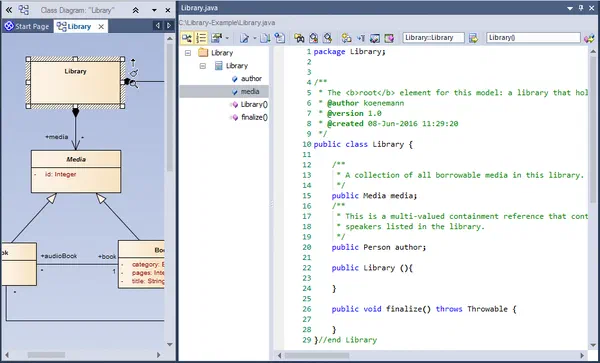
Modern product development is teamwork, and every discipline has its preferred tool. System architects work in Enterprise Architect, developers in their IDE and CI pipeline, others in specialised tools. The problem is rarely the individual tool but the gap between them: as long as the architecture model lives only inside Enterprise Architect (a GUI application also limited to Windows), it remains an island. Anyone who wants to process it automatically, whether for validation, code generation or reports, needs it as portable, scriptable data.
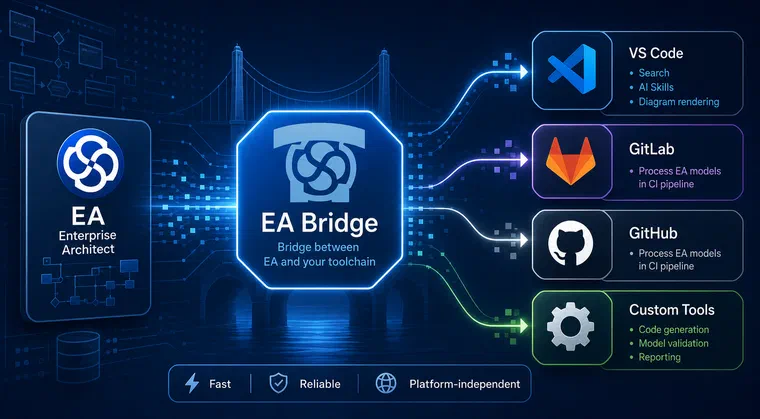
The itemis EA Bridge is precisely this component: a standalone command-line tool that reads EA models and provides them as stable JSON, platform-independent and fast enough for any automated step.
How fast becomes clear from a real-world comparison. A customer model with over 70 MB, 77,164 model elements and 140 extensive state machines is handled very differently by the three tools:
| Tool | Operation | Duration |
|---|
| Enterprise Architect | XMI export | ~5 minutes |
| Java EA-Bridge | Load model + generate 1,856 files | ~30 seconds |
| New EA Bridge (Rust) | Load model + deliver as JSON | ~1.1 seconds |
The three rows do not measure exactly the same operation, but they show the same task on the same model. The real gain lies in turnaround time: seconds instead of minutes turn a cumbersome special run into a step you repeat as often as you like. The same speed also qualifies the processing as an automated pipeline step.
What can be automated
Once the model is available as structured, machine-readable data, manual post-processing becomes automated. Four use cases are in the foreground:
- Validation: Consistency rules, naming conventions and completeness checks run reproducibly against every model, instead of by visual inspection.
- Code generation: Source files are produced from the model, for example for an AUTOSAR methodology based on UML.
- Report generation: Documents and overviews can be derived from the same data, from interface lists to architecture fact sheets.
- AI reasoning: The structured data serves as a foundation for AI assistants to answer questions about the model precisely.
Every one of these steps needs the model as reliable data, and every one benefits from the processing being performant and platform-independent, whether running locally at the developer’s machine or in a CI pipeline. The areas of code generation and AI-assisted usage are explored in separate articles on Custom Tooling and AI-assisted development.
We have been developing the original, Java-based EA Bridge since 2013 and have directly accompanied its introduction at seven customers. The new generation is written in Rust, available as a CLI tool and therefore directly usable by an AI. A VS Code extension sits on top as a user interface, but the decisive component for the toolchain is the CLI underneath.
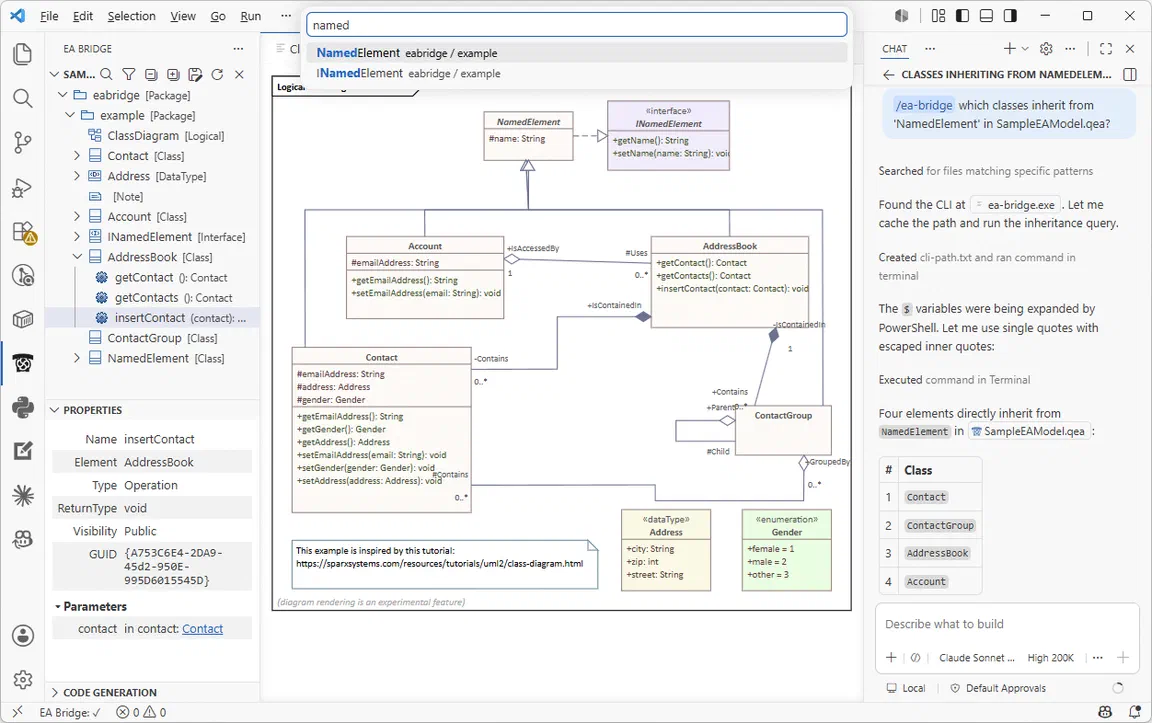 The model in VS Code: model tree, Properties View, rendered diagram, search field and AI skill.
The CLI as an integration component
The product is a single Rust binary with two modes: in CLI mode it runs on the command line; in sidecar mode it serves as a background process for the VS Code extension. For toolchain integration, CLI mode is what counts.
The tool provides a small number of clearly defined commands:
export reads an EA model and outputs it as JSON, either to a file or to stdout.query evaluates a jq programme against the model and returns only the result, without having to export the entire model.schema outputs the JSON schema of the export, so that downstream tools can programme against a documented contract.errors lists the catalogue of error codes with their meanings.
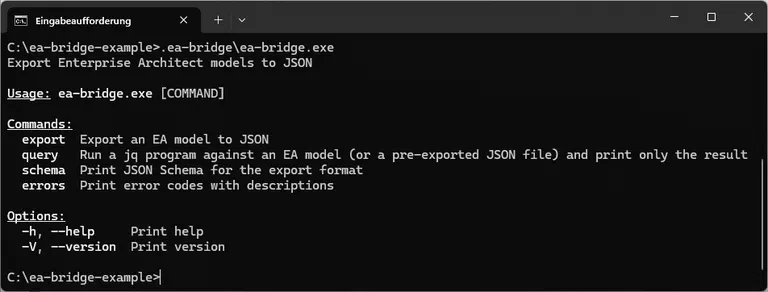 The available command-line arguments, shown here on Windows via
 ea-bridge.exe.
Two properties matter for pipeline suitability: what the commands do and how they behave. The payload goes to stdout, diagnostics and warnings go to stderr. The return value is standardised: 0 for success, 1 for partial success with data warnings, 2 for abort. Every warning carries an error code that can be looked up via errors.
# Export to a file for downstream processing
ea-bridge export model.qea --output model.json

# Or pipe directly into the next tool
ea-bridge export model.qea | python generate.py
Via the query command, the CLI also becomes a quality gate. A targeted query answers a specific question and returns only the result, for example the number of interfaces or ‘all element names and types to which a stereotype of profile “BMM” is applied’:
ea-bridge query model.qea '[.elements[] | select(.elementType=="Interface")] | length'
ea-bridge query model.qea '[.elements[] | select((.stereotypes // []) | any(startswith("BMM::"))) | {name: .name, type: .elementType}] | .[] | (.name + " (" + .type + ")")'
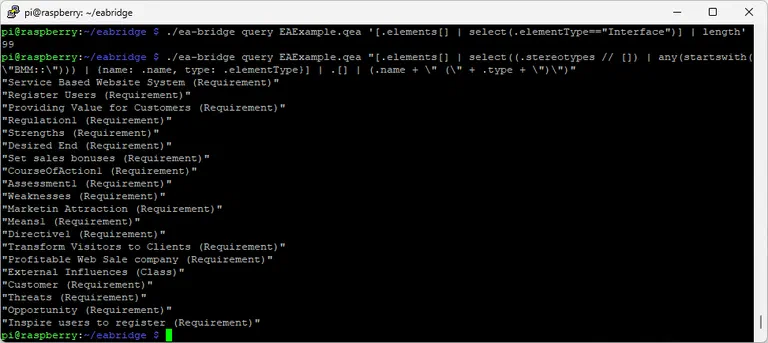 The same queries on a Raspberry Pi: the ARM-Linux binary counts and lists the interfaces in the model and outputs only the result.
A query formulates a model rule; the exit code determines whether the build continues. This way a model that violates a convention is caught early.
A typical scenario: a nightly or commit-triggered job exports the current model as JSON, runs consistency queries over it and passes the result to the code generator. Enterprise Architect remains the authoritative model source but does not need to be installed anywhere in the pipeline itself. Decoupling the modelling tool from the automation step is the core of a working toolchain integration.
Enterprise Architect only runs on Windows. The EA Bridge does not. Because Rust produces platform-native code, we deliver pre-built binaries for Windows (x64), macOS (x64 and ARM) and Linux (x64 and ARM). An EA model file can therefore be processed on a Linux CI runner without a Windows agent and without an EA licence on the build server. For pure CLI usage, the respective binary is sufficient without any further runtime dependencies.
Where the model lives: the database abstraction
EA models are persisted in different ways in practice. The EA Bridge separates the core logic from the concrete persistence formats via a database abstraction; all formats are loaded through the same interface. Supported today are:
- the modern SQLite-based files (
.qea and .qeax), - the classic Access/JET files (
.eap and .eapx), - server-based EA repositories on MySQL/MariaDB and Microsoft SQL Server.
This gives the EA Bridge access to exactly the central team repositories where larger organisations manage their models collaboratively. A server connection is addressed via EA’s own shortcut files; the Bridge detects the backend type and resolves the connection accordingly. Oracle, PostgreSQL and cloud connections are not currently supported; feature requests can be submitted via the issue tracker.
Stable JSON schema
The common denominator between Enterprise Architect and the rest of the toolchain landscape is the JSON format. It is independently versioned (currently version 1.6) and deliberately kept stable in its core fields: a downstream tool does not break when the Bridge adds a new, optional field. Via the schema command, the contract can be retrieved programmatically at any time.
Classification: automation, not traceability
Toolchain integration encompasses more than one path. The EA Bridge is the automation path: it extracts the EA model as data so that artefacts are produced automatically rather than transferred manually, whether that is validation, generated code, a report or an AI-assisted query. A typical example is connecting the architecture model to a code generation pipeline, for instance to implement an AUTOSAR methodology based on UML. This use case is described in the section Automation: code generation from the architecture.
Cross-tool traceability — the continuous traceability of requirements across the architecture down to the code — is a different path. For this, itemis offers itemis ANALYZE, which brings together data from many engineering tools non-invasively. The EA Bridge addresses the automation case; what further technical integration levels exist is set out in the section technical integration levels.
Summary
The EA Bridge makes Enterprise Architect connectable. A platform-independent CLI with clean stdout/stderr behaviour, documented exit codes and a stable, versioned JSON format makes EA models automatically processable: for validation, code and report generation, AI reasoning and integration into CI/CD pipelines, without a Windows agent or EA licence on the server. Via the database abstraction it reaches local files and server-based team repositories alike.
If your engineering tools are not talking to each other and Enterprise Architect is an island, that is exactly our area. How itemis brings toolchains together is described on the Toolchain Integration page. The tool itself can be found in the VS Code Marketplace.


 Dr. Patrick Könemann


 Dr. Patrick Könemann
6 min read
Dr. Patrick Könemann
6 min read