Toolchain Integration

Breaking Down Information Silos. Connecting Tools Seamlessly.

Modern product development is a team effort, and every discipline has its favourite tool. Systems architects work in Enterprise Architect, requirements managers in DOORS or Jama, developers in GitLab, safety engineers in specialised FMEA tools. The problem: the tools don't talk to each other. itemis helps you break down these silos: through a well-thought-out integration architecture, proven adapters and pragmatic consulting. The result: a toolchain that is truly end-to-end.

The Problem

Why ‘The One Tool’ Never Works

ALM and PLM tool vendors regularly promise totality: everything in one system, no media breaks, no silos. In practice, this never works. No single tool covers all disciplines of complex product development equally well.

The result in real engineering organisations: best-of-breed. Enterprise Architect for architecture models, DOORS for requirements, GitLab for code, a specialised FMEA tool for safety analysis. Each tool is excellent in its domain. But the data lives in silos.

The consequences are always the same: manual, error-prone transfers between tools with no end-to-end traceability. Compliance evidence becomes a nightmare. Changes in Tool A are invisible in Tool B until downstream errors occur. No organisation-wide picture: what do we actually know? What state is the system in?

Expertise

Expertise from 15+ Years of Toolchain Projects

We didn’t simply evaluate tools. We built them from the inside. The itemis ANALYZE platform grew out of years of work with real engineering toolchains: DOORS, Enterprise Architect, PTC Integrity, Jama Connect, Polarion, Codebeamer, ARTOP, Eclipse and more. itemis ANALYZE ships with adapters for most standard tools in the engineering environment and can be flexibly extended with project-specific connectors.

Beyond that, we have built direct integrations: browser extensions for DOORS Next, Jama and Polarion (available in the Chrome/Edge App Store), a DSL plugin for DOORS and specific EA plugins. We don’t just know these tools from the outside. We have taken them apart and built production-ready integrations on top of their internals.

Triggers

Three Triggers: When Toolchain Integration Becomes Critical

Toolchain integration is not an end in itself. It arises from a concrete need: one of the following three triggers.

Compliance-driven: Traceability Across Tool Boundaries

The most common trigger: you need to prove traceability: from stakeholder requirements in DOORS through the system architecture in Enterprise Architect down to the code. ASPICE, ISO 26262 and DO-178C demand end-to-end traceability. No single tool provides this overview by itself.

itemis ANALYZE aggregates data from all tools and creates a continuous, queryable traceability layer, non-invasively, without modifying the artefacts in the source systems. Result: compliance evidence at the push of a button, not on request. → Requirements Traceability

Automation: Code Generation and FMEA from the Architecture

Another strong trigger: you want to derive artefacts automatically from the system model, not transfer them manually.

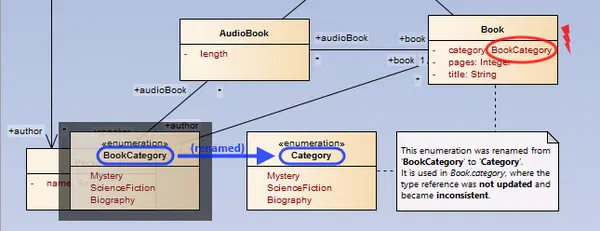
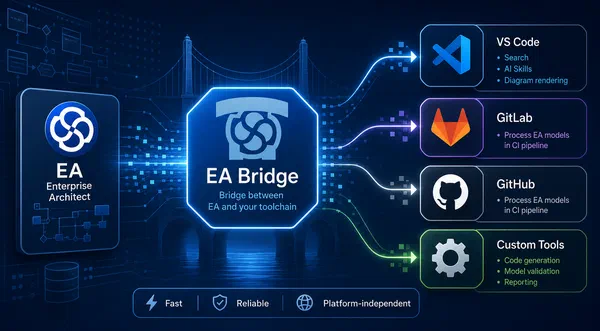
A typical example: Enterprise Architect contains the system architecture model. With the EA-Bridge you connect the model to your code generation pipeline, for instance to implement AUTOSAR methodologies on a UML basis and maintain the underlying toolchain. Another example: the System FMEA is derived directly from the system architecture and automatically transferred into your FMEA tool: consistently, reproducibly and without manual transfer. → Reference: FORVIA HELLA: Automatic FMEA Generation from System Architecture

Engineering Intelligence: Knowing What the Organisation Knows

The most underestimated trigger: you want to know what is actually available in your engineering organisation. Which requirements are still open? Which architecture decisions are documented? Which dependencies exist between subsystems?

Today this knowledge is distributed across GitLab, DOORS, EA, PowerPoint and emails. itemis ANALYZE creates a central, queryable view of this distributed information: an organisation-wide engineering dashboard. Via MCP servers, AI assistants (Claude, Copilot etc.) can access this model data directly, answering questions like “Which requirements are affected by this change?” without manual effort.

Integrated Tools

Tools We Have Already Integrated

Integrations happen in different ways: sometimes itemis ANALYZE acts as middleware, a non-invasive traceability layer across existing tools. Sometimes they are direct plugin integrations within the tool itself: browser extensions for DOORS Next, Jama and Polarion, EA plugins or a DSL plugin directly in DOORS. The overview below shows all tools with which we have already implemented production-ready integrations in customer projects.

Requirements Management/ALM

IBM Jazz

Integration with IBM Engineering Lifecycle Management (ELM) and IBM Rational Team Concert. Enables bidirectional linking of work items and requirements.

Requirements Management/ALM

IBM DOORS

Bidirectional synchronisation with IBM DOORS Classic. Full attribute transfer, module and object mapping, and direct editing of requirements from within itemis ANALYZE.

Requirements Management/ALM

PTC Integrity / RV&S

Coupling with PTC Integrity (formerly MKS Integrity) and Windchill RV&S. Supports requirements, change requests and traces across system boundaries.

Requirements Management/ALM

PTC Codebeamer

Connects itemis ANALYZE with Codebeamer ALM. Requirement, test and risk objects are synchronised and traced bidirectionally.

Requirements Management/ALM

Polarion ALM

Seamless integration with Siemens Polarion ALM. Requirements, work items and trace links are reconciled in real time.

2026
Requirements Management/ALM

JAMA Software

Connection to Jama Connect for modern requirements engineering. The adapter enables full traceability between Jama requirements and ANALYZE artefacts.

Modelling

IBM Rational Rhapsody

Bidirectional linking of Rhapsody models (UML/SysML) with requirements and test cases in itemis ANALYZE. Full traceability across model elements.

Modelling

Sparx Enterprise Architect

Integration with Sparx Enterprise Architect. EA elements such as classes, components and use cases are embedded in the itemis ANALYZE knowledge graph.

Modelling

MATLAB Simulink / Stateflow

Connects MATLAB Simulink and Stateflow models with the ANALYZE traceability graph. Ideal for safety evidence in automotive development.

Modelling

itemis CREATE

Direct coupling with itemis CREATE for DSL and code generation projects. Generated artefacts are automatically captured in the traceability graph.

Modelling

itemis SECURE

Integration between itemis ANALYZE and itemis SECURE: security analysis results (TARA, threat models) are linked directly to requirements and system models.

2026
Modelling

Dassault Cameo Systems Modeler

Connection to Dassault Systèmes Cameo / MagicDraw. SysML models, blocks and requirement relationships flow bidirectionally into the ANALYZE knowledge graph.

Task & Variant Management

Atlassian Jira

Synchronisation of Jira tickets (stories, bugs, epics) with requirements and traces in itemis ANALYZE. Supports Jira Cloud and Jira Data Center.

Task & Variant Management

Eclipse Mylyn

Links Eclipse Mylyn tasks with ANALYZE artefacts. Tasks, reviews and change requests are mapped directly in the traceability graph.

Task & Variant Management

PTC pure::variants

Integration with PTC pure::variants for feature models and product configurations. Variants and their dependencies are fully traceable.

Office

Microsoft Word

Import and export of requirements documents from Microsoft Word. Structure, headings and attributes are preserved during round-trips.

Office

Microsoft Excel

Bidirectional exchange with Excel-based requirements lists and trace matrices. Configurable column mapping rules for flexible integration.

Office

OpenOffice

Support for Apache OpenOffice Writer and Calc. Requirements documents and lists can be imported and exported directly.

Source Code

CDT (C/C++)

Integration with Eclipse CDT. C and C++ source files, functions and headers are automatically captured in the traceability graph and linked to requirements.

Source Code

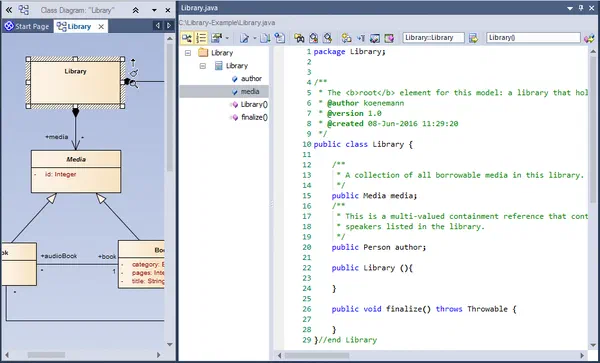
JDT (Java)

Connection to the Eclipse Java Development Tools. Java classes, methods and packages are directly traceable in the knowledge graph.

Exchange Formats

Text Files

Import of structured text files as a requirements source. Rule-based parsing for CSV, TSV and custom formats.

Exchange Formats

XML

Flexible XML mapping for exchange with proprietary or standardised data sources. Schema-agnostic and configurable.

Exchange Formats

PDF

Extraction of requirements from PDF documents. Useful for integrating legacy documents and external specifications.

Exchange Formats

Eclipse EMF

Support for Eclipse Modeling Framework (EMF) / Ecore. EMF models can be directly embedded as an artefact source in the ANALYZE knowledge graph.

Your tool not listed?

Yes, We Integrate Your Toolchain Too

Technical Levels

Technical Levels of Integration

Toolchain integration is not a binary decision. There are different technical levels that make sense depending on the goal and the tool landscape.

Level 1: Middleware / Data Hub

itemis ANALYZE acts as a central platform that reads, links and makes queryable data from various engineering tools. The approach is non-invasive: source artefacts are not modified. Trace links are managed outside the tools as a separate layer: no tool lock-in, extensible with new adapters.

Level 2: Direct Plugin Integration

Sometimes the deepest integration is the right one: directly in the tool, as a natural part of the user interface. EA plugins with traceability views and code generation, a DSL plugin for DOORS, browser extensions for DOORS Next, Jama Connect and Polarion, a Visio parser for state machines.

Level 3: Standards and New Protocols

OSLC for REST-based linking of engineering tools, ReqIF for requirements exchange between tools (e.g. between OEM and supplier), MCP as a new interface for AI assistants: enabling LLMs to access model data and requirements directly.
Tool Selection

Tool Selection: Vendor-Independent Advice

Choosing the right integration platform is critical. We advise independently of vendors, with a clear practical evaluation framework.

Take Existing Investments Seriously

A migration is often more expensive and riskier than cleverly adapting existing systems.

Prioritise Open Data Formats

Interoperability through standards such as ReqIF, OSLC and XMI keeps the toolchain flexible.

Manage Vendor Lock-in Consciously

Dependency on a single integration vendor should be a deliberate strategic decision, not an accident.

Check Licence Models

Check licence models against actual usage. The best tool on the market adds no value if only two people use it.

the traceability platform for engineering toolchains

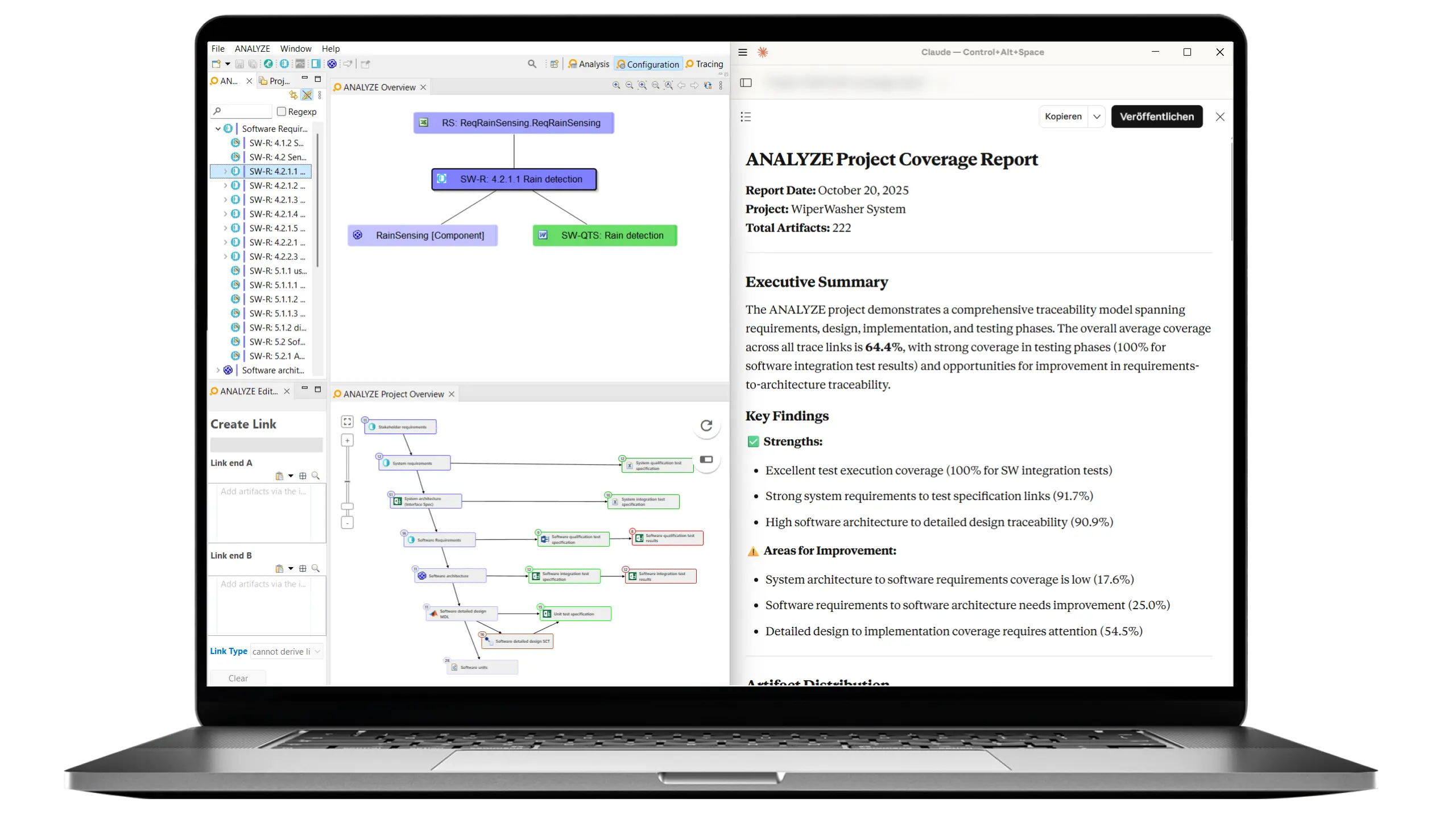
Adapters for most standard tools in the engineering environment (DOORS, Enterprise Architect, Polarion, Jira and more), plus browser extensions and DSL plugins for direct tool integration. In production use at, among others, I.G. Bauerhin and FORVIA HELLA.
Learn more about itemis ANALYZE
itemis ANALYZE Screenshot
Our Approach

How itemis Works

We don’t have a one-size-fits-all process, but a proven starting point.

Integration Audit

We analyse your existing tool landscape: which tools are in use? Where are the gaps? Which data already flows and which doesn’t? The result is a prioritised map of weaknesses in your current toolchain.

Integration Architecture
Based on the audit we design an integration architecture that fits your tool landscape: which level of integration makes sense where? Middleware, plugin, standard or a combination?

Pilot Integration

We develop and validate the integration on a concrete, practical use case. At the end of the pilot you have a working integration, not a slide deck.

Roll-out and Scaling

After a successful pilot we scale the approach: more tools, more teams, more projects.
Our Experts
Dr. Alexander Nyßen

Executive Vice President Digital Engineering · itemis AG

Dr. Alexander Nyßen has specialised in Model-Based Systems Engineering (MBSE), model-based development and the integration of engineering tools since 2003. He supports companies in successfully introducing and sustainably establishing model-based methods and tool landscapes for the development of complex cyber-physical systems. In strategic product management, he is responsible for itemis ANALYZE and itemis SECURE, with a focus on requirements traceability, functional safety and cybersecurity.
Florian Antony

Principal Software Engineer & IT Consultant · itemis AG

Florian Antony is Principal Software Engineer and IT Consultant at itemis. His focus is on software architecture, security engineering and traceability for complex development environments. With many years of experience in automotive and technology projects, he supports companies in implementing the ISO 26262 and ISO/SAE 21434 standards as well as in developing sustainable tool and platform solutions.
Get Started

Tackle Your Toolchain Integration

Schedule a call with Dr. Alexander Nyßen and Florian Antony.

Knowledge

Insights on Toolchain Integration

Tailoring Enterprise Architect with Add-ins
Blog Toolchain integration

Tailoring Enterprise Architect with Add-ins

How to extend Enterprise Architect with add-ins: model assistants, integrity checks, and installer-based rollout — and which tasks are better handled by external tools like the EA-Bridge.

Read Article
Dr. Patrick Könemann Dr. Patrick Könemann 7 min read
References

From the Field