Eclipse Java (JDT)
The Eclipse Java data access provides access to artifacts for the Java artifact provider in Java files.
Data access
Open the ANALYZE configuration with the ANALYZE configuration editor, and add a new data access as described in section "Data accesses". Select Eclipse Java as data access type.
Within the configuration panel, you can specify file patterns consisting of Eclipse projects, folders or filename patterns describing the Java files relevant for analysis.
Supported keyword:
- resource – A pattern for a project, folder or file in the workspace.
The configuration may contain several resource definitions. In this case, ANALYZE takes the union of all patterns into account.
Independent of any resource definitions, ANALYZE takes only files with filename extension .java into account.
Please note that the resources have to reside in an Eclipse Java project.
Example:
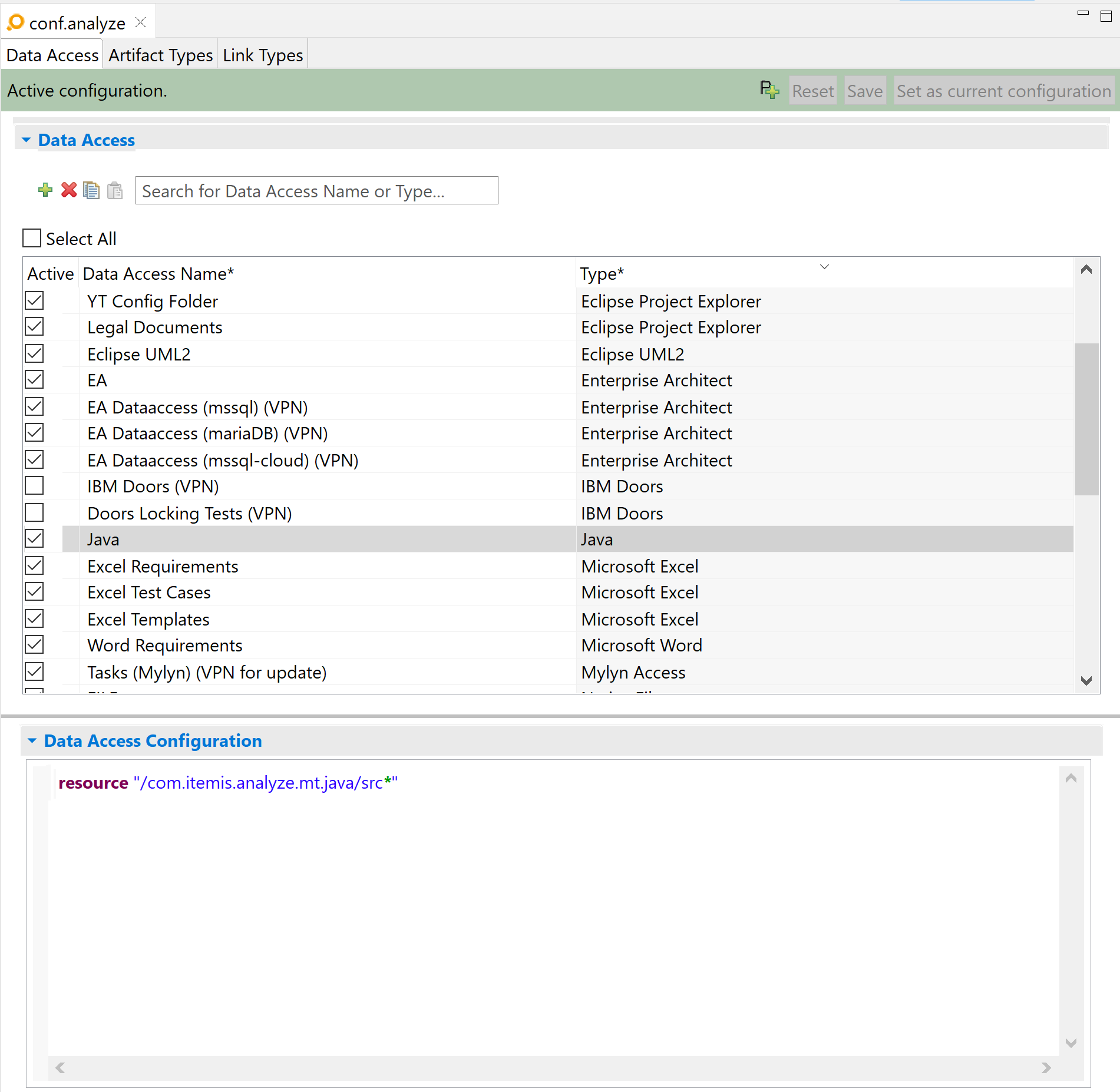
In this example, ANALYZE evaluates all *.java files in project com.itemis.analyze.mt.java, folder name beginning with src.
Artifact type
The Java artifact type recognizes Java elements such as classes, methods and properties in a specified set of relevant files, but not individual statements within a method. The relevant files are specified in the Java data access. As a rule-of-thumb, ANALYZE recognizes all elements that appear in the outline view for Java-files.
Configuration
All configuration is done in the data access. An Eclipse Java artifact type does not support any further configuration.
Version
An artifact's version is used for suspicious links validation. Artifacts of this type do not provide a version.