Invite people to the organization
People are invited to an organization by email address. The person joins once they accept the invitation.
Depending on your role, Manage Members may not offer the form for inviting people; ask an Owner of your organization.
Invite someone
- Open Members in the organization sidebar and click Manage Members. The dialog Manage Members of opens, with the organization's name.
- Enter the person's Email address.
- Choose the Role the person gets in the organization. The dialog preselects a role; choose the one the person needs. The roles are listed in Administration.
- Click Invite.
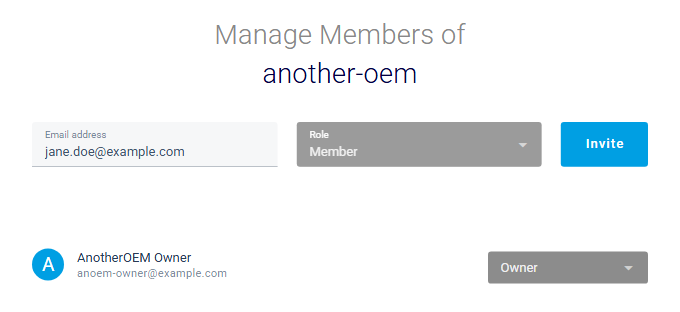
The invitation appears in the dialog's list as "Pending invitation", and on the members page. If your installation sends mail, the person receives the invitation by mail. Otherwise, copy the link on the members page and send it yourself.
If the text in Email address is not an email address, the dialog says "Invalid Email address."
Withdraw an invitation
In the Manage Members dialog, open the role list next to the invitation and click remove at its end. The dialog confirms "… invitation has been revoked."