Parent-first vs. Child-first Execution
This example demonstrates the two different execution schemes of composite states: child-first and parent-first execution. For more information, please also refer to chapter Parent-first and child-first execution.
Composite state execution schemes
The parent-first and child-first execution schemes define in which order a composite state and its substates are processed:
- In the parent-first execution scheme, the composite state (parent) is processed first, before its substates are processed.
- In the child-first execution scheme, the active substate (child) is processed first, before its parent composite state is processed.
Example
We will use the following example model to explain the two different execution schemes:
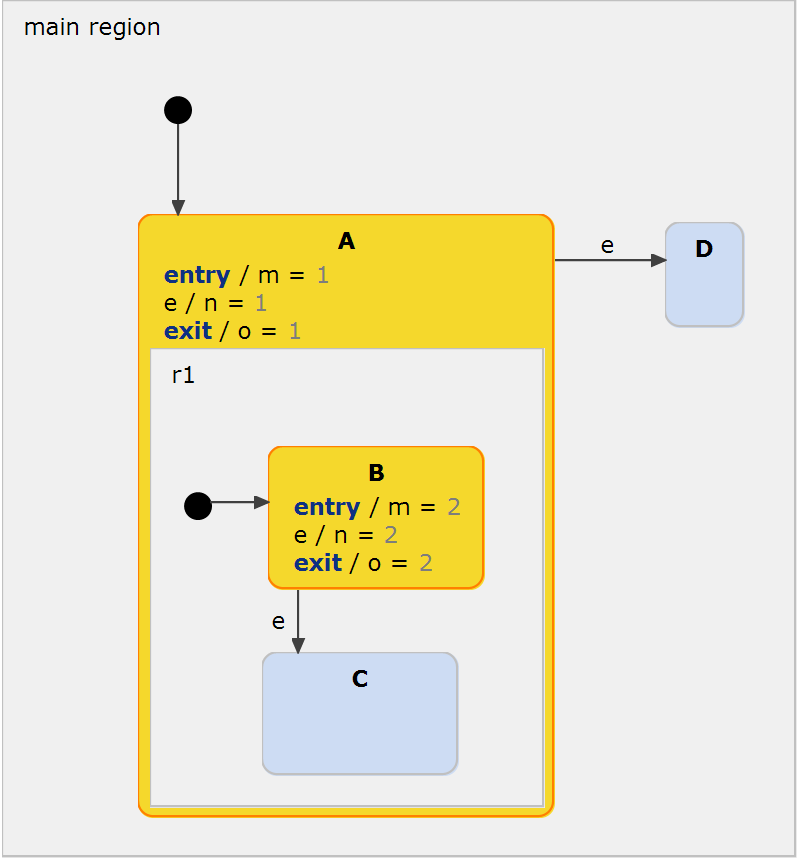
The question that we want to answer is: What happens if event e is raised, i.e. which state gets activated, C or D; and what are the values of the statechart variables m, n and o afterwards?
Let's first answer which state gets active. When the event e is raised, the specified execution scheme defines which of the currently active states', A's or B's, outgoing transitions are evaluated first. In the child-first execution scheme, state B, the active child of the composite state, is processed first. Hence, the transition to state C is evaluated and taken. In contrast to that, in the parent-first execution scheme, the outer state A is processed first and state D gets activated:
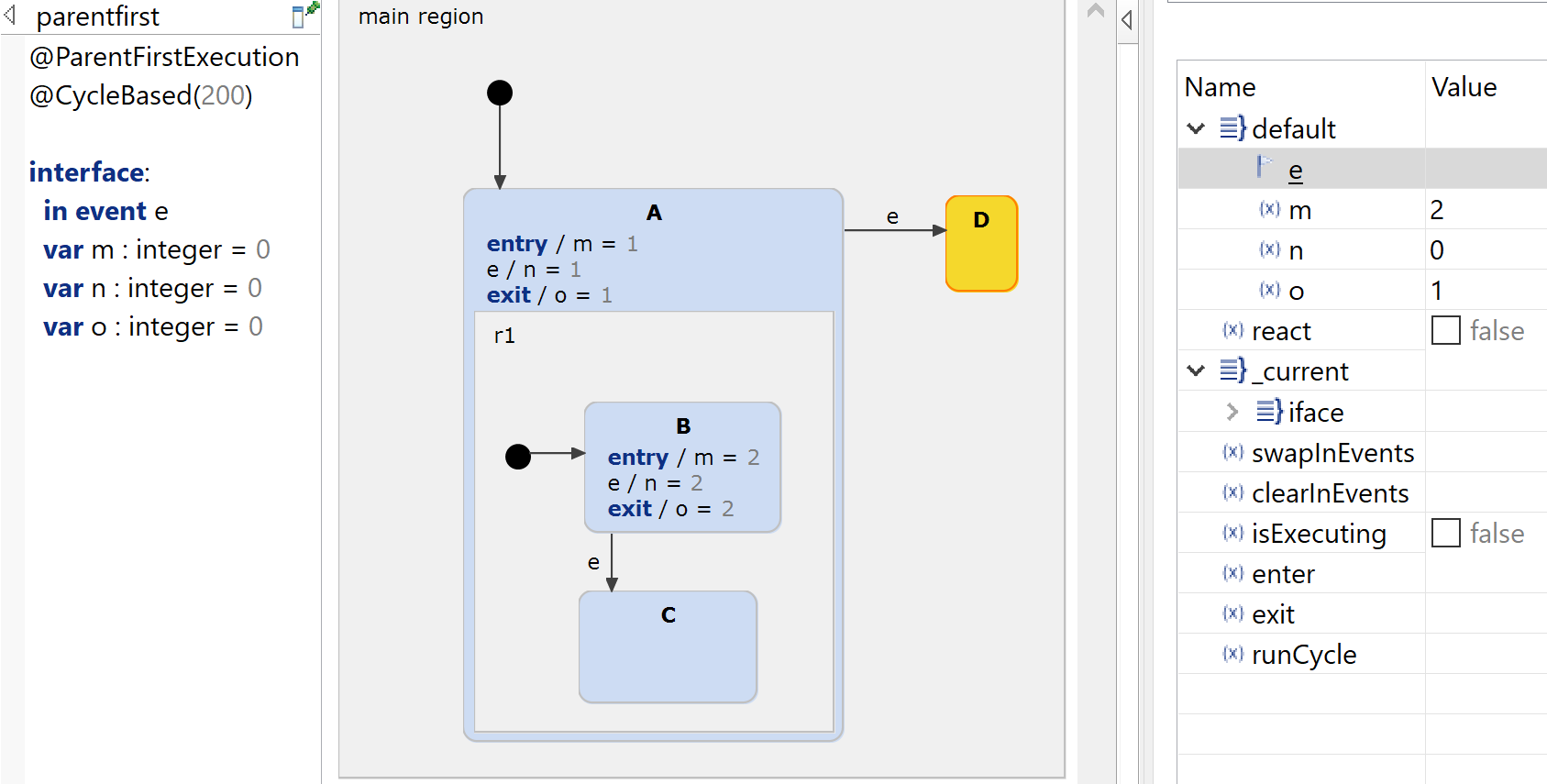
Now let's take a look at the variable values. When starting the simulation (or when entering the statechart), the outer state A is activated first, independent of the used execution scheme. Afterwards, the entry action of state B sets m to 2. After event e is raised, the inner state B is exited first, before A is exited which sets the value of o to 1.
Notice the difference when child-first execution is used:
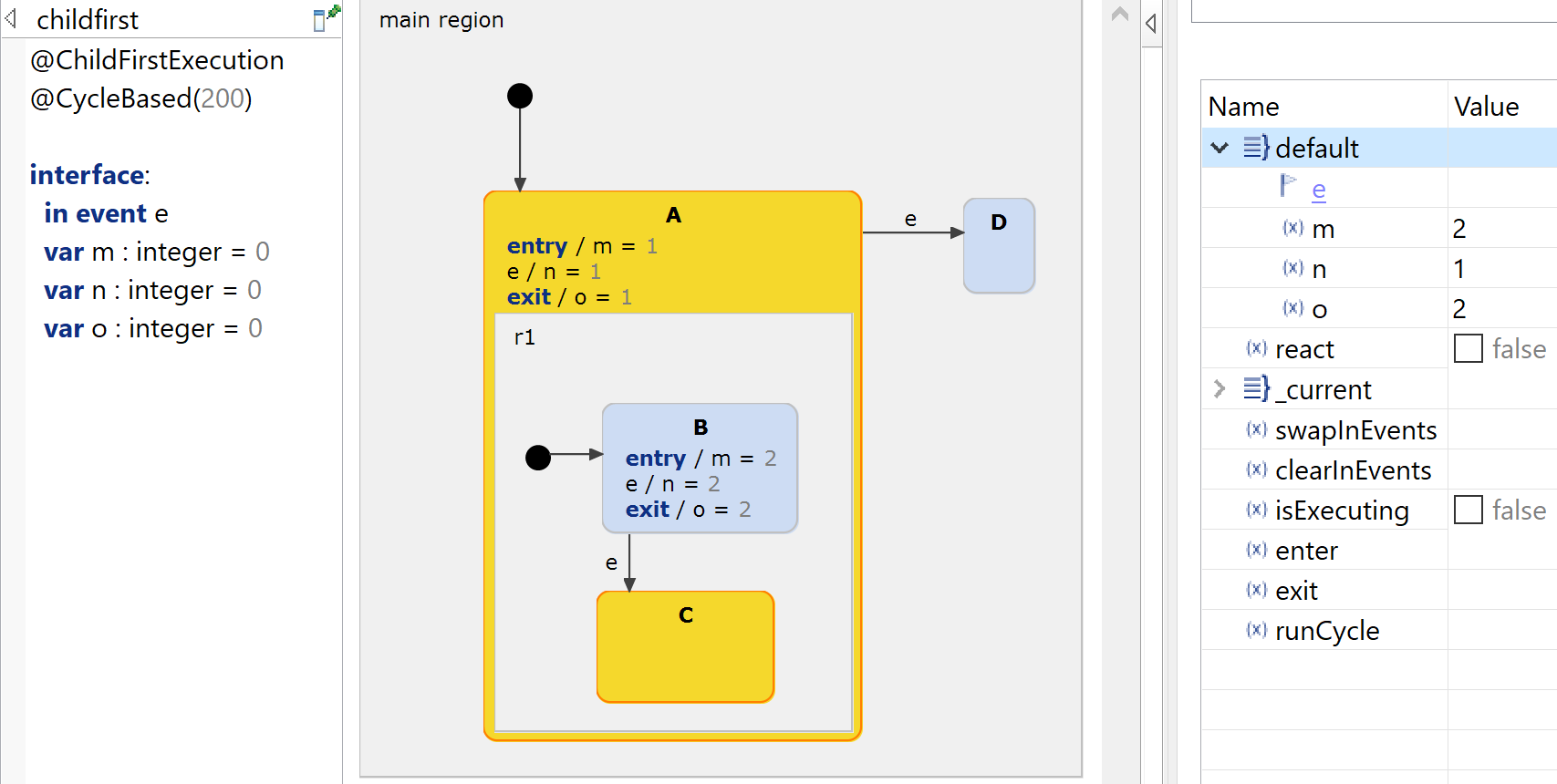
When event e is raised, state B is exited, setting variable o to 2. Furthermore, the outer state A stays active in this run-to-completion step and hence its local reaction is executed, setting n to 1.
Get this example
The complete project — statechart models, sources and build files — lives in the itemis CREATE examples repository. Inside itemis CREATE for Eclipse you can import it directly with the example wizard.