DISCLAIMER: This example only work with UNIX based systems due to the nature of Eclipse console
[Pro] Coffee Machine with C integration
This is a comprehensive example for the deep integration of CREATE statecharts with manually written C code. The example is implemented as a simple command line tool. It makes use of POSIX threads. So you need a compiler tool chain and a 'pthread' library to build an run the example. The underlying statechart for the coffee machine looks as follows:
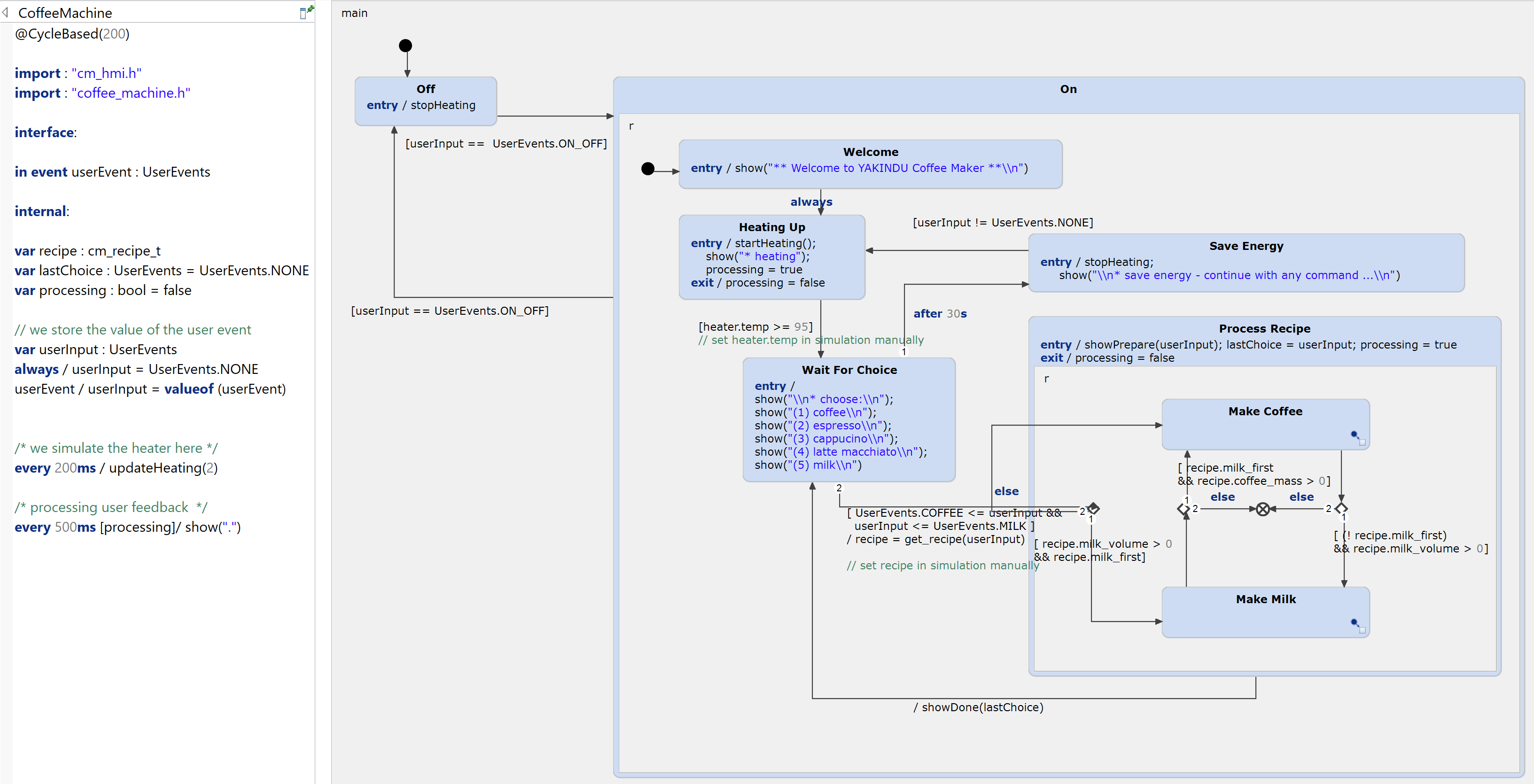
The statechart consists of two major states "ON" and "OFF". The "ON" state is a composite state with several substates and substate machines for the different modes.
Manually written source code
The source code artifacts are all located in the 'src' folder. File names that include 'coffee' or 'cm_' include application specific implementations and those with 'sc_' prefix are generic parts that belong to the state machine infrastructure.
Set up your system
As mentioned above you need a compiler tool chain and the 'pthread' libraries. If you have a Linux or Mac OS Xsystem you likely have everything installed. If you run Windows than we propose to install cygwin tools (https://www.cygwin.com).
Set up the project
This project is preconfigured for Windows with cygwin. If you use another system:
- right-click on project 'coffee_machine' in the 'Project Explorer'
- choose 'Properties'
- a dialog appears - choose 'C/C++ Build'
- select 'Tool Chain Editor'
- choose the appropriate tool chain for 'current tool chain'
- click 'OK'
... and your project should be ready to build.
Build
- Right-click on project 'coffee_machine' in the 'Project Explorer'
- choose 'Build Project'
Run the example
In the 'Debug' or 'Release' folder you will find an executable 'coffee_machine_pro.exe' (even on Linux and Mac OS X). Right-click on this and choose:
- 'Run As > Local C/C++ Application'.
The embedded Eclipse console shows up and you can follow the instructions. Enter 'o' to start the coffee machine... 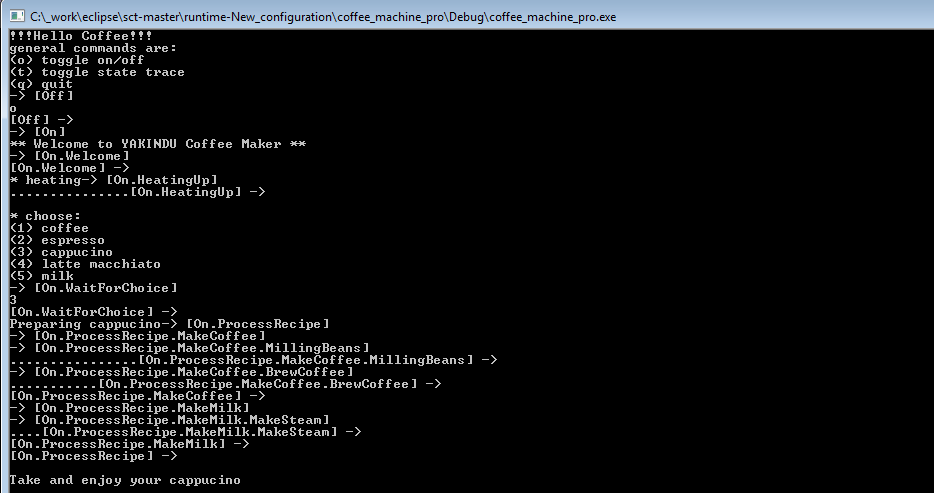
Simulate
Additionally you can simulate the statechart by right-click and choose:
- 'Run As > Statechart Simulation'
You'll find more information on using the simulation in the help.
Change the model
You may want to change or extend the model. Within the embedded expression editor you can press 'Ctrl-Space' to get proposals, which also include the C elements from the imported C header files. 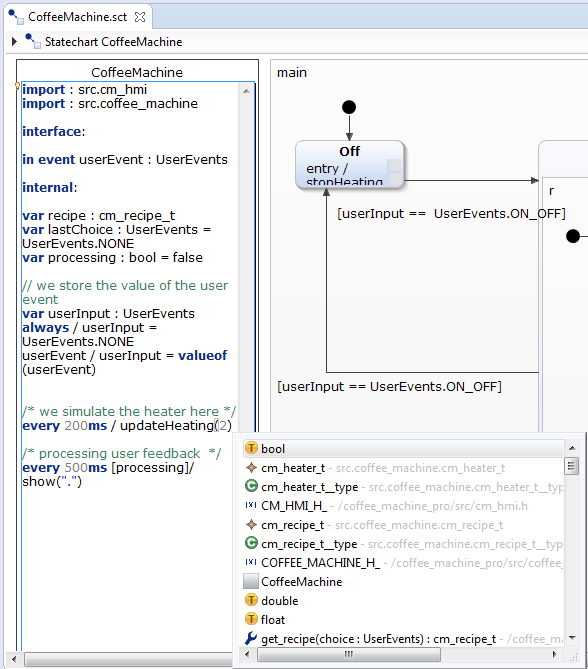
Generate state machine code
If you have changed the model you can generate state machine code by right-click on 'CoffeeMachine.sgen' and choose 'Generate Code Artefacts'. This will generate:
- CoffeeMachine.h
- CoffeeMachine_required.h
- CoffeeMachine.c
Get this example
The complete project — statechart models, sources and build files — lives in the itemis CREATE examples repository. Inside itemis CREATE for Eclipse you can import it directly with the example wizard.