Security Analyst 22.1
This release predates the rename of YAKINDU Security Analyst to itemis SECURE, which happened with 22.4. The product names below are the ones used at the time.
It's been a while since our last release but it was worth the wait. We have a feature packed and improved spring update available for you.
Threat scenario support
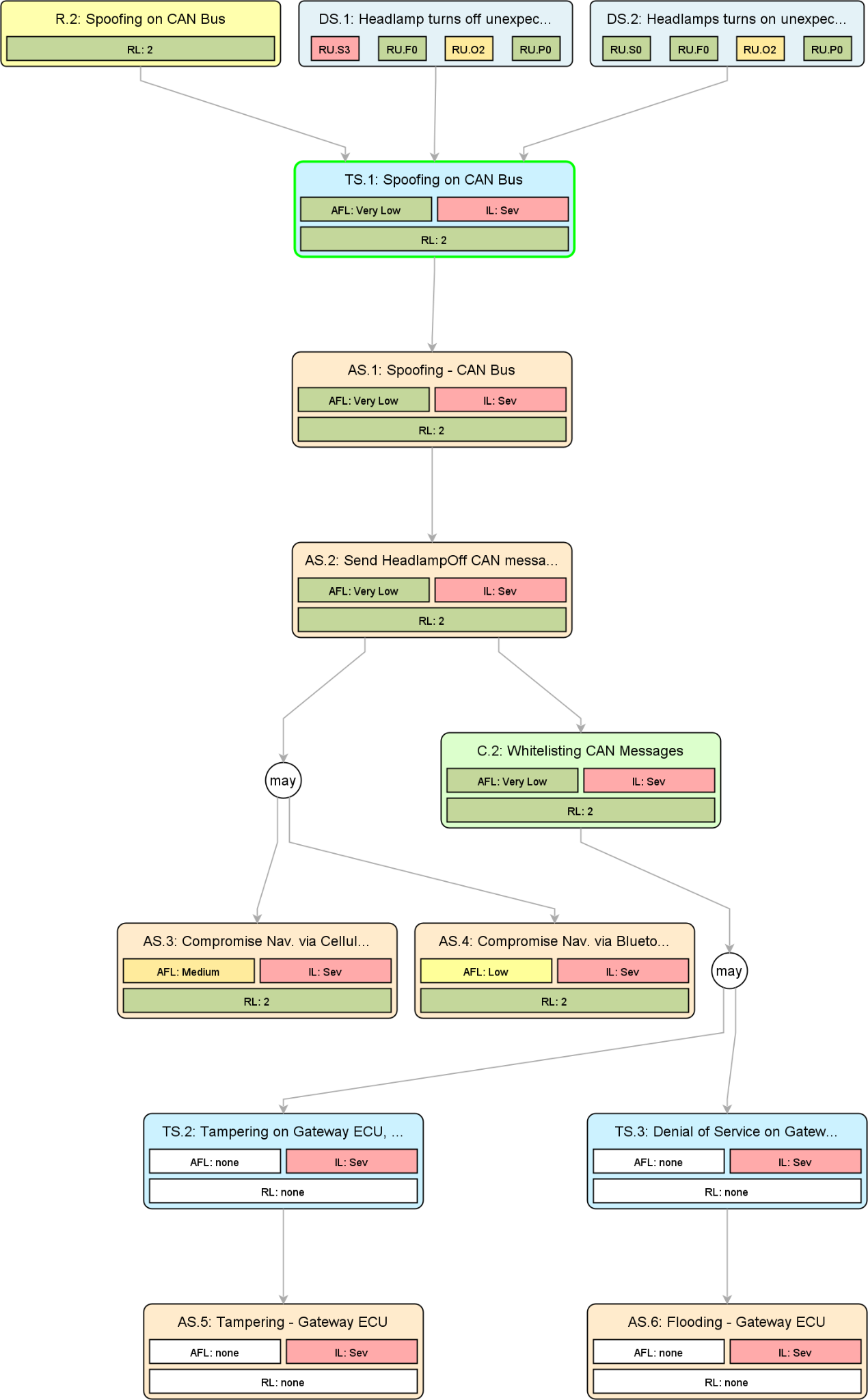
To get even closer to ISO/SAE 21434, we are now supporting threat scenarios as a dedicated element. A threat scenario realizes one or many damage scenarios and is itself realized by specific attack steps that build an attack tree. It references a threat class, which provides the compromised cybersecurity property.
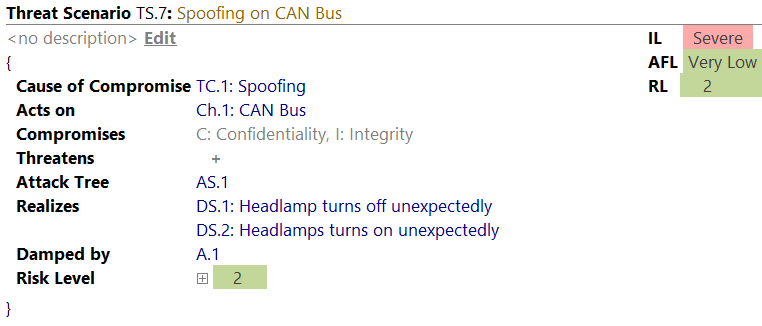
This change is also reflected in the attack tree graphing, new report items, revamped assistants and an updated tutorial.
Qualified assets
Identifying assets has changed. There are no more intermediate entities, namely security objectives, needed. Instead, asset identification is now all about identifying assets that might cause damages if threatened. The information is bundled within the updated damage scenario element.
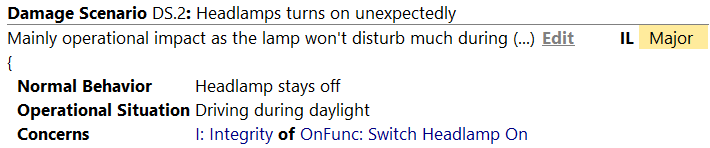
The asset identification assistant takes care of creating new damage scenarios for you and creates the qualified asset. We take care of your existing security objectives and migrate them with maintaining the risk level of your TARAs in mind.

New user guide
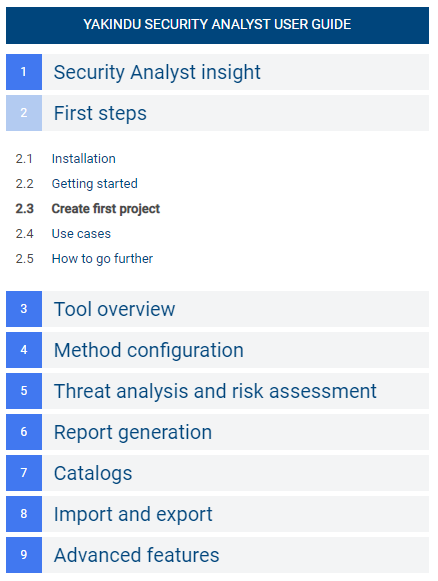
For Security Analyst 22.1, we revamped our user guide. As part of this we updated the terminology to focus on ISO/SAE 21434 terms, filled it with additional contents, and moved the user guide to our product web page: user guide.
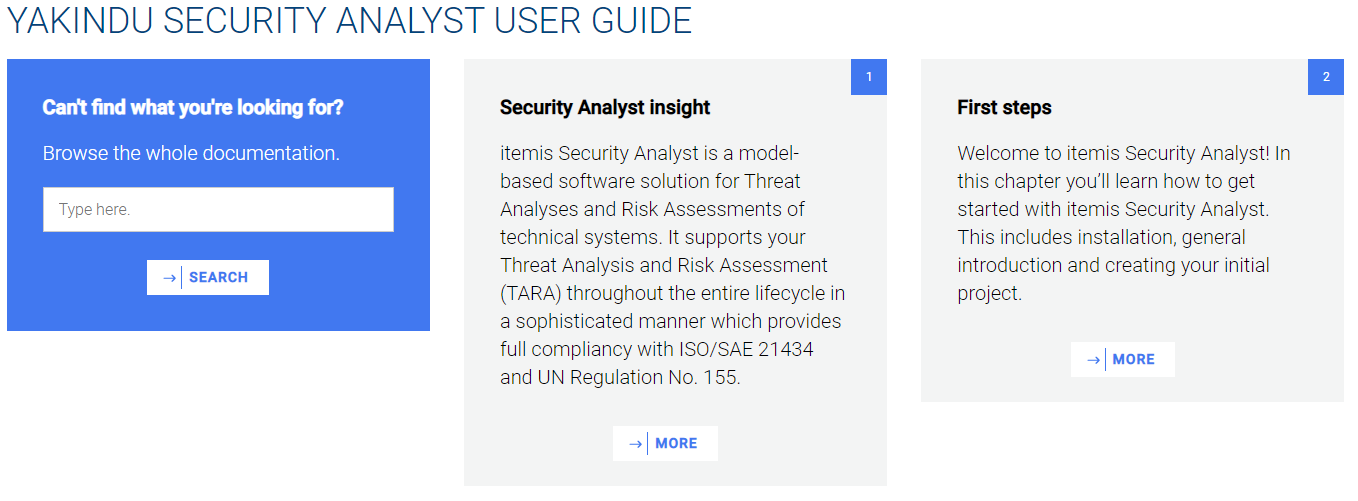
The user guide will be continuously updated to eventually cover all the features and capabilities of itemis Security Analyst.
The user guide is searchable. Furthermore, you can navigate to the chapter of interest yourself via clicking the title, and use the navigation on the left hand side to navigate further.
Enhanced impact level determination
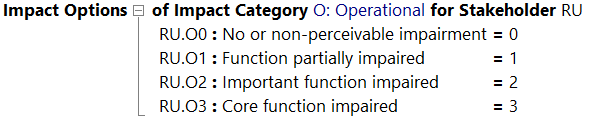
Impact level declarations are now spiced up with numeric values attached to them. Impact options aggregating to 2 would end up as a major impact level.

The same applies to the declaration of impact options. Instead of directly referring to the impact levels, you may now declare numeric values per option. Having this, it is possible to realize more powerful aggregation functions that work on these values.
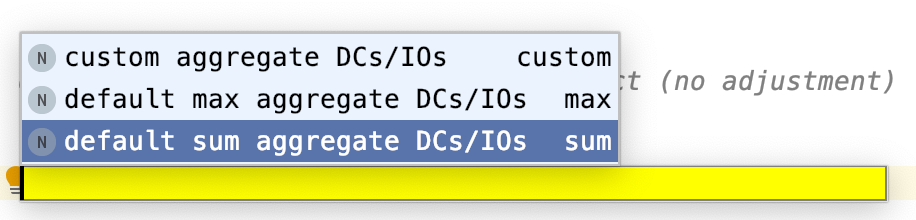
While extending the foundation of impact determination, we added an additional default aggregator. Next to the default MAX aggregation we also allow adding up the values with a new SUM aggregator. This can be modified in the inspector of the risk model at your method configuration. Just add a new aggregator in the impact combinator section. In the inspector you may choose the sum aggregator default instead of the max aggregator default.

Impact scaling
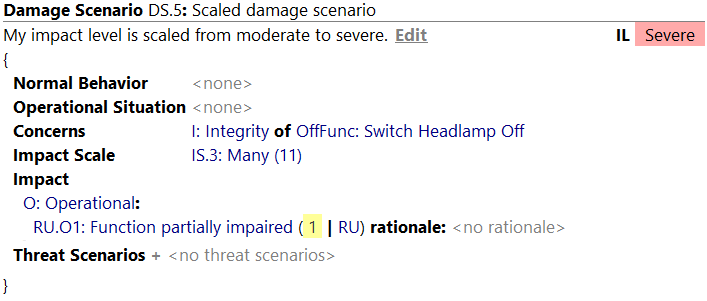
It is now possible to define your own set of scaling options with a numeric value attached to it. By default three options are available.

Having enhanced impact determination in place, Security Analyst uses the provided values per damage scenario and applies impact scaling to it. For example, scaling the moderate (1) rating with the impact scale "IS.3: Many (11)" aggregates to a severe impact level.
On-demand re-calculation
In order to improve the performance for large models, you may now disable the immediate re-calculation of all risks on each change. The corresponding setting can be found in Settings > Appearance & Behavior > Security Analyst General.

The on-demand re-calculation can be triggered when selecting a risk related element. The Recalculate button will show up in the toolbar.

Import and export enhancements
Export
It is now possible to select multiple elements from the project navigation tree and export them to one XSAM file. It uses the same semantics as Export model to XSAM and stores the selected contents (e.g. chunks / root nodes) under a <mps:RootNodes> XML tag, but only exports the selected chunks.
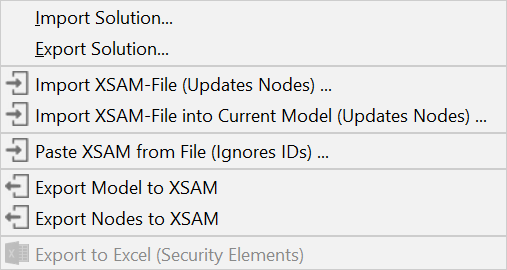
Import
-
You can import single nodes without the
<mps:RootNodes>XML tag -
Import XSAM into Current Model without
mps:modelRefattribute is now supported -
Import XSAM requires
<mps:modelRef>to find the correct model -
If a chunk (root node) to be updated cannot be found, a new one is created automatically
-
You can now copy XSAM snippets (e.g. the contents of an exported node, or text received via mail) and paste it exactly where needed

Attack feasibility option assignment
For attack steps, controls, threat classes and control classes, new intentions are available to clean up your model (e.g. after failing migrations or imports):
- Incomplete AF options are removed automatically
- Improved error message for duplicated AF option assignments
- The respective quickfixes can be triggered from the intentions menu (
ALT+ENTER)
Assistant performance enhancement
- When a suggestion is applied, rejected or reset, only the suggestion itself is updated and not the entire assistant
- There is a checkbox next to the Refresh button that allows enabling the auto refresh on each action
Pull changes from catalog (beta)
We are preparing for future automated catalog updates. Under Settings > Appearance > Security Analyst General you can define a threats catalog endpoint (URL).
If this is configured properly and an endpoint is selected, you can pull in the catalog data via Import/Export > Pull changes from remote Catalog for a selected model. It acts like Import XSAM into Current Model for threat catalogs. Unfortunately, without the appropriate endpoint, this is not of use for you just yet. Stay tuned!
Updated report items
- Updated reports to take into account Threat Scenarios
- Updated report items to take into account impact scaling
- Damage scenario table is split up:
- Damage scenarios overview shows name, title, …
- Damage scenarios with Impact per Stakeholder shows impact per stakeholder and impact category
- Risk table shows risk level per stakeholder
- Terminology profile (e.g. ISO 21434) is used properly in report template completion menus
Various fixes and improvements
- Fixed line breaks in descriptions — editing and exporting/importing now support multiple line breaks and no longer ignore them
- Reports chunk: improved displaying of default control scenario
- Project tree view: derive icons from the content, if no default content is set
- New data can now be created inline for sub-data, stored-data and transferred-data
- Control groups chunk: fixed and extended editing of new control groups by just being able to start typing in an empty chunk
- You can now change the row sorting of the risk matrix result report item
- Assumptions are not evaluated to impossible anymore; if there is nothing configured there they act like "place holders" and have no effect on the risk calculation
- Fixed wrong results calculated when reopening the same project again
Open initiative for an exchange format
You might already know our exchange format XSAM. Starting from this, we are launching an initiative to form an open community which aims at establishing a cross-vendor, cross-tool XML-based format for eXchanging Security Analysis Models. We call it openxsam.io and recently talked about it at ASRG. If you are interested in joining the initiative, please contact us at security-analyst@itemis.de.
Additionally, we still have the knowledge base about general security analysis processes and norms.
Version Mapping
The following table can be used to determine the Security Analyst version based on the internal plugin version com.moraad.core that is stored in the .msd file of every solution:
<language slang="l:2bca1aa3-c113-4542-8ac2-2a6a30636981:com.moraad.core" version="<com-moraad-core-version>" />
| com.moraad.core version | Security Analyst version |
|---|---|
| 80 | 22.2 |
| 78 | 22.1 |
| 74 | 21.3 |
| 73 | 21.2 |
| 72 | 21.1.1 |
| 71 | 21.1 |
| 64 | 20.4 |
| 63 | 20.3.1 |
| 61 | 20.3 |
| 59 | 20.2.1 |
| 58 | 20.2 |
| 55 | 20.1.1 |
| 54 | 20.2.1 |
| 49 | 19.4.1 |
| 48 | 19.4 |
| 46 | 19.3.1 |
| 44 | 19.3 |
| 41 | 19.2 |
| 37 | 2.5.1 |
The table in the source document was kept up to date after the release and already lists 22.2. The duplicate 20.2.1 entry (core versions 59 and 54) is a typo carried over from the original.