Security Analyst 22.3
This release predates the rename of YAKINDU Security Analyst to itemis SECURE, which happened with 22.4. The product names below are the ones used at the time.
LM-X License Server Support
In addition to the local license files, with Security Analyst 22.3 we support license checks that require a centralized license server. With this in place, we now support floating licenses powered by LM-X License Manager.

The server is configured via a properties file to configure the server endpoint. Details can be found in the user guide and the attached setup guide. The above mentioned license server needs to be installed accordingly by your administrators.
Assisted License Import
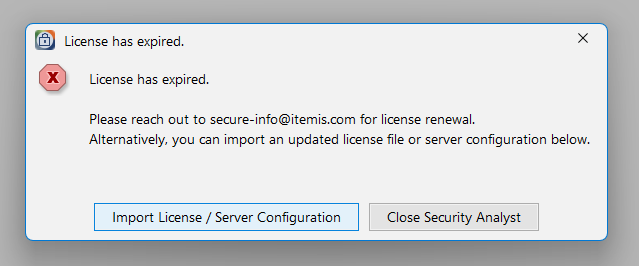
Updating or importing licenses has been streamlined a lot. You no longer need to mess with your file system. Instead, when a missing or invalid license is detected, you can easily import it with a dedicated dialog. Security Analyst will take care of the rest; in addition, a lot of error messages and workflows with regard to licenses have been improved.
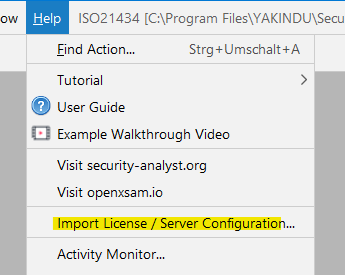
Furthermore, you can initiate an import at any time from the Help menu.
Threat Scenario and Assistant Improvements
Derived Compromised Assets
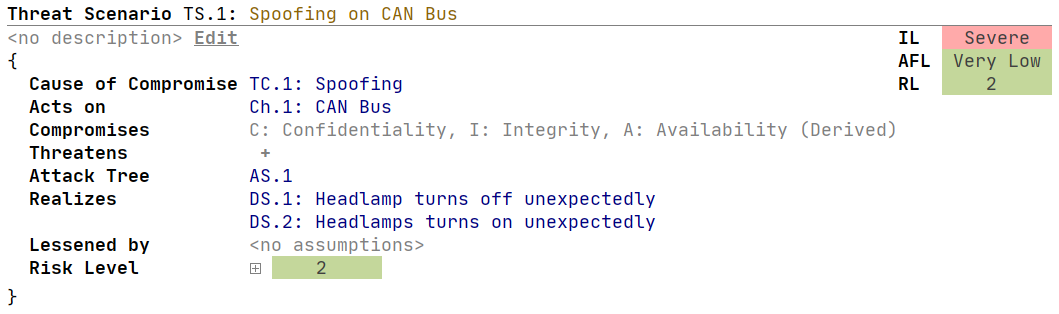
Threat Scenarios, especially the compromised assets, can now be tailored to your needs. By default, Security Analyst takes care of deriving recommended compromised assets based on the acted on elements and the Production Rules Engine, which can be customized as part of the Method Configuration.
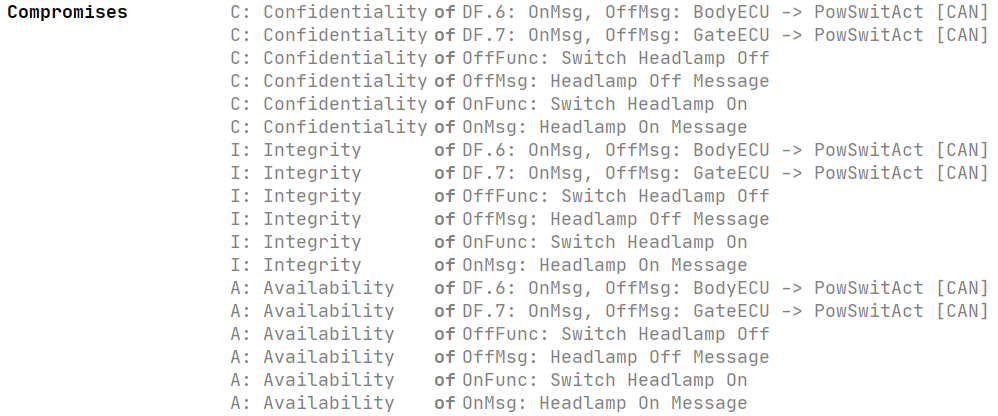
If you are interested in the derived elements, you can expand the detailed list.
Explicit Compromised Assets
In some instances, you might want to override this default and add or remove specific entries. Derived Compromised Assets can be "inlined" and made Explicit Compromised Assets via an intention (default: ALT+ENTER).
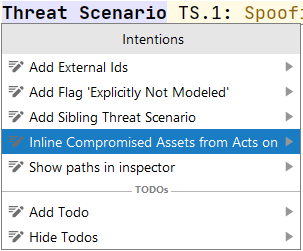
After inlining, the compromised assets can be tailored to your needs — for example, all qualified assets related to integrity or availability can be removed.

Impact on Damage Scenario Assignment Assistant
If a Damage Scenario concerns a Derived Compromised Asset of a Threat Scenario, it will be suggested in the Damage Scenario Assignment Assistant for the Damage Scenario. Instead of using the Derived Compromised Assets for a Threat Scenario you can also define Explicit ones.

New Assistant for Explicit Compromised Assets
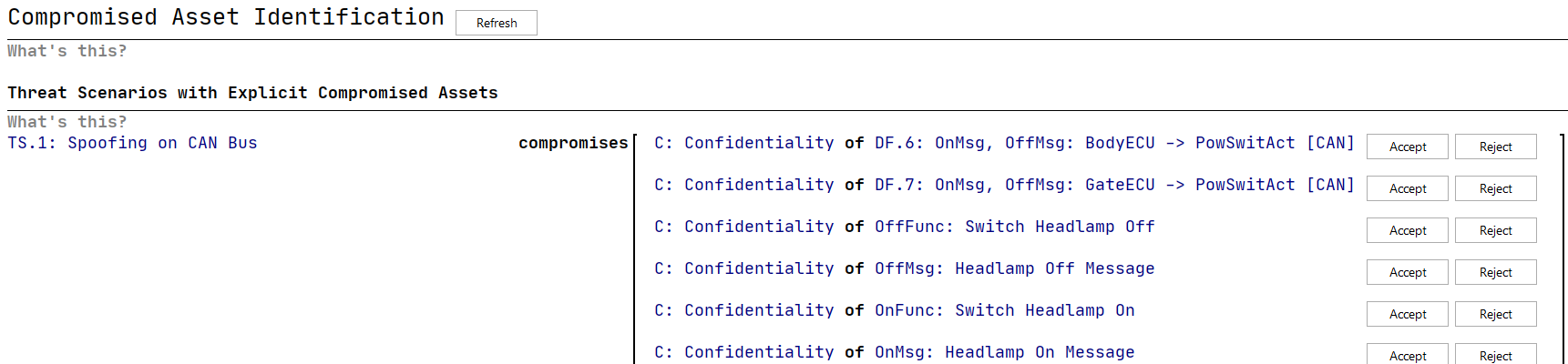
The new assistant suggests Explicit Compromised Assets based on the "Causing Assets" of the Threat Scenario and the Production Rules Engine. If an Explicit Compromised Asset is selected but not suggested by the Production Rules Engine, the assistant suggests to remove that Compromised Asset. The "Causing Assets" are derived from the Threat Scenario Class and the Acts On relation of the Threat Scenario.
Improved Support for Large Models
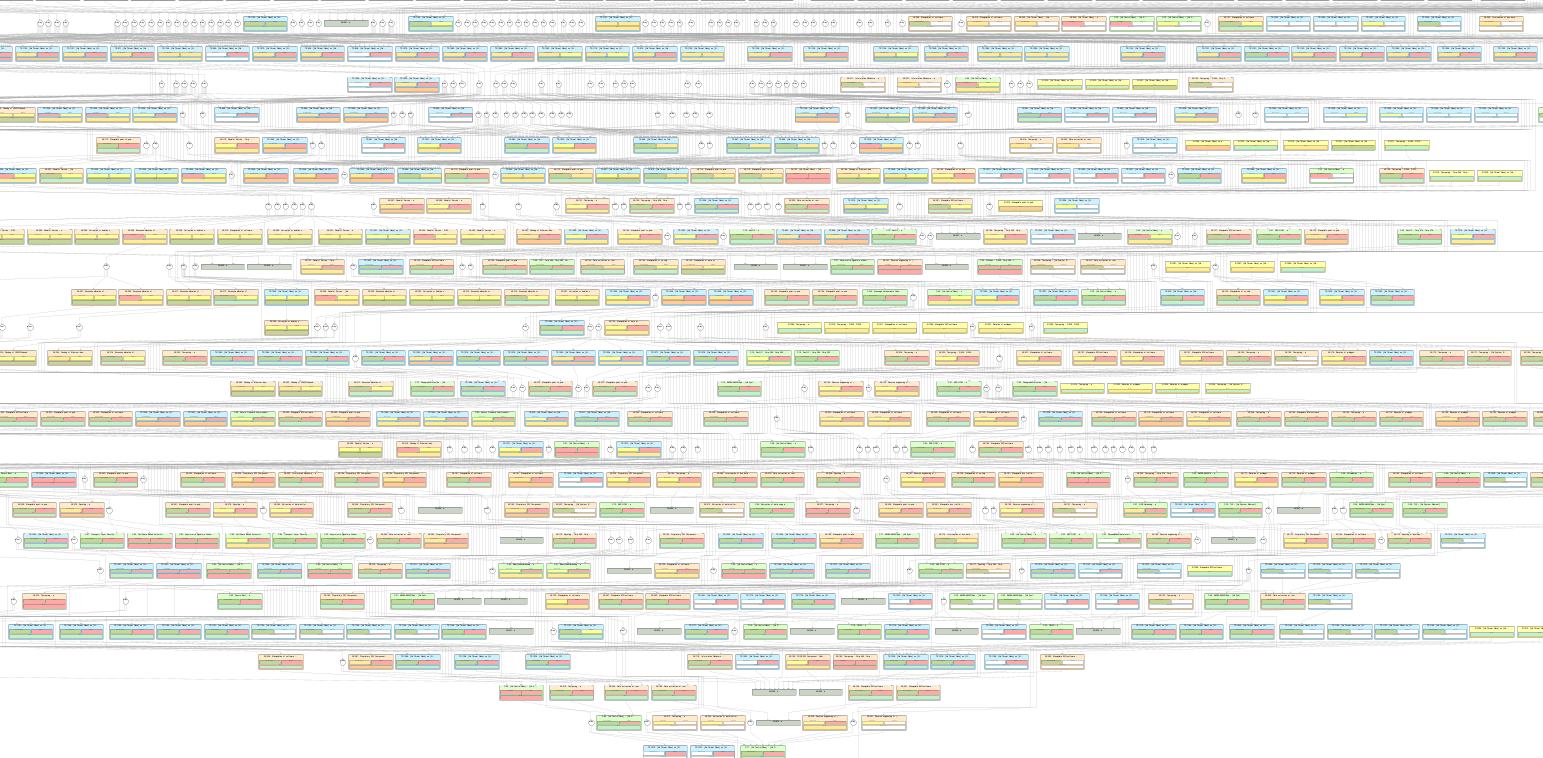
Since Security Analyst calculates all possible attack paths throughout the modeled attack graph, large models pose a tough challenge. It is not trivial to keep Security Analyst responsive while calculating thousands of attack paths and damage transformations. With version 22.3 we introduce major improvements under the hood to improve the performance by a large magnitude which means in other words: support for even larger models.
Enhanced Damage Scenario Rating
New Impact Rating Editor Layout
The layout of the impact rating editor has been improved. The rather complex tree structure has been replaced with a tabular-like representation to do the impact analysis per damage scenario. The rationale field per rating has been moved to the inspector.

Improved Completion Menu Sorting
The order of security properties in the completion menu has been aligned with the order of declaration in the method configuration.


Various Fixes and Improvements
- Concerns column is now editable in damage scenario table
- Concerns column sorting in damage scenario table is now alphabetical
- Feasibility options show their own description in the inspector
- When installing Security Analyst, sometimes existing files have not been overwritten correctly. This has been fixed.
- Security fix: mitigated log4j vulnerabilities
- Method Configuration imports did sometimes result in broken references. This has been fixed.
- Fixed an issue where report generation was not possible due to an out of bound exception.
- New optional feasibility aggregator "geometric mean"
- CVSS-based risk matrices can be edited now
Version Mapping
The following table can be used to determine the Security Analyst version based on the internal plugin version com.moraad.core that is stored in the .msd file of every solution:
<language slang="l:2bca1aa3-c113-4542-8ac2-2a6a30636981:com.moraad.core" version="<com-moraad-core-version>" />
| com.moraad.core version | Security Analyst version |
|---|---|
| 81 | 22.3 |
| 80 | 22.2 |
| 78 | 22.1 |
| 74 | 21.3 |
| 73 | 21.2 |
| 72 | 21.1.1 |
| 71 | 21.1 |
| 64 | 20.4 |
| 63 | 20.3.1 |
| 61 | 20.3 |
| 59 | 20.2.1 |
| 58 | 20.2 |
| 55 | 20.1.1 |
| 54 | 20.2.1 |
| 49 | 19.4.1 |
| 48 | 19.4 |
| 46 | 19.3.1 |
| 44 | 19.3 |
| 41 | 19.2 |
| 37 | 2.5.1 |
The source document lists 20.2.1 twice, for core versions 59 and 54. The entry for 54 is likely a typo; it has been left as written because no later release notes repeat this part of the table.