itemis SECURE 23.1
Platform Update & Product Security
With itemis SECURE 23.1, we updated the underlying framework which offers the following benefits:
- prepare for future big feature updates
- prepare for integration of web based catalogs (e.g. ASRG catalog)
- new features and enhancements for improved productivity
- bug fixes and stability improvements
- enhanced security with updated patches
In general, security updates are vital for maintaining the integrity, confidentiality, and availability of your systems and data. They provide crucial patches, protection against malware, data security, system stability, compliance adherence, protection of connected devices, and proactive security measures. By regularly installing security updates, you enhance your overall cybersecurity posture and reduce the likelihood of falling victim to cyber threats.
We are itemis SECURE

We are pleased to remind you that our solution will be called itemis SECURE in the future.
The updated user guide documents the renamed product.
Install Git from itemis SECURE
You no longer need to pre-install Git manually. When you clone an existing Git repository, itemis SECURE will look for the Git executable on your machine, and will offer to download and set it up for you if itemis SECURE can't locate it.
Improved Merging and Tracking of Changes
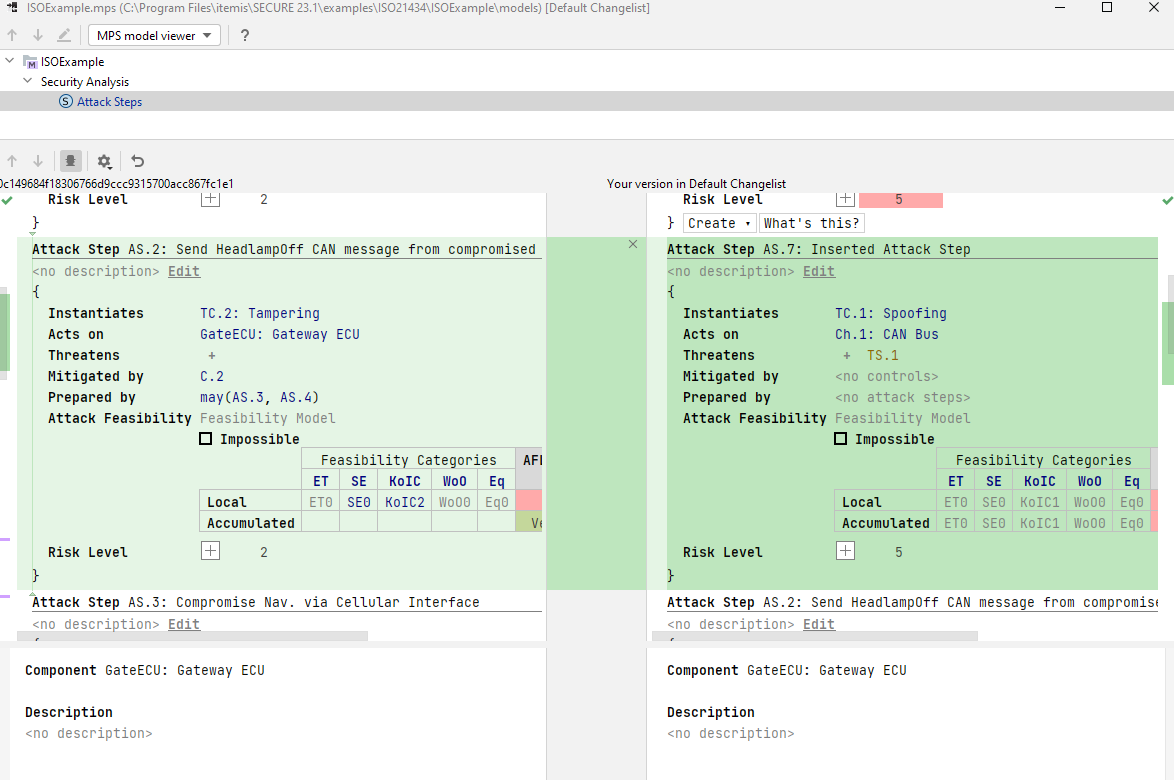
We've improved the look and feel of the Version Control System. The width of the editor area is no longer fixed, so the splitter can now be moved in both directions. The way changes are highlighted has also been improved. Tooltips for the changes are displayed both in the editor area and in the splitter area. Additionally, we have replaced the triangles and trapezoids in the splitter area with smooth polygons.
Improved Version Control System Integration
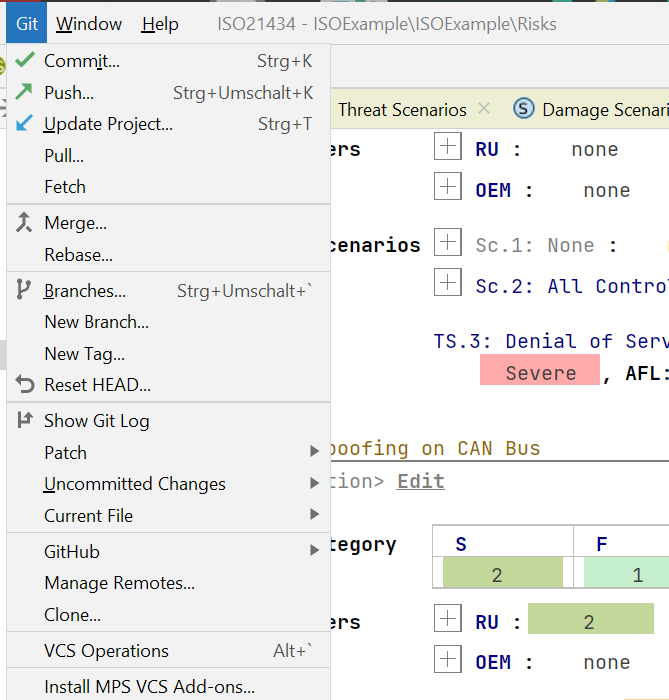
The VCS menu has been renamed to match the version control system that you are currently using. We've made the menu neater and more discoverable by keeping the most useful actions for versioning your project. You can now easily access key Git features that are no longer hidden in a submenu.
Tracking moved elements
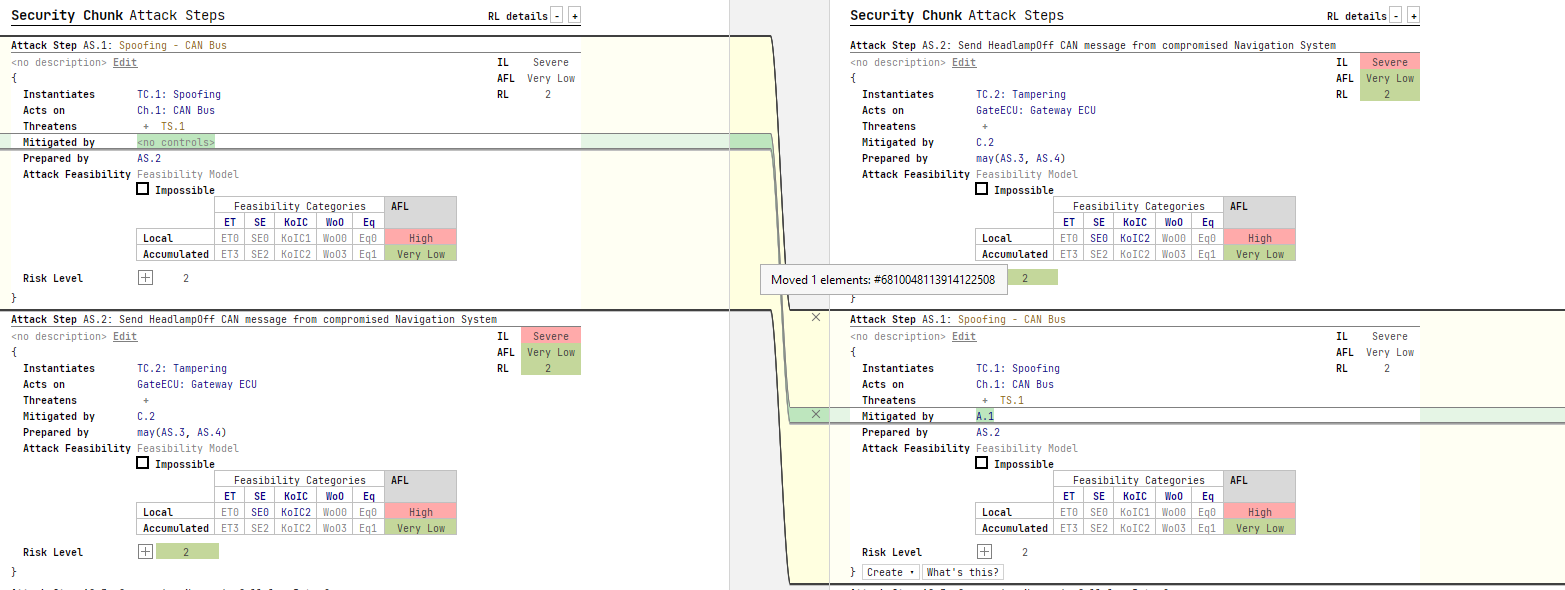
The previous algorithm for calculating changes between the two models could not detect certain types of changes. Node movement was detected as two independent changes: insertion and deletion. It is now possible to show the node movement as one movement. Furthermore, it is also possible to detect internal changes inside the moving piece.
Non-modal Commit Interface
In order to streamline the commit flow, we've developed a new Commit tool window for handling all commit-related tasks. It provides more space for the list of modified files and the diff, and it lets you add changes to a commit when they are ready, compose a commit message iteratively, and choose which of the staged changes go into which commit.
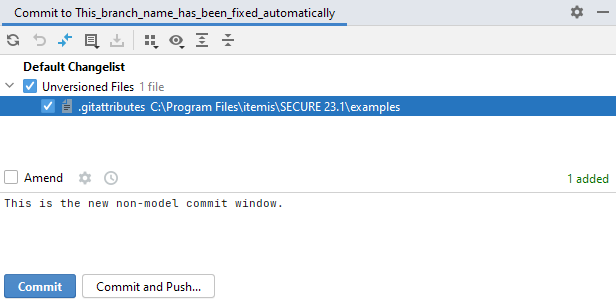
It's not activated by default, so if you want to give it a try, select Use non-modal commit interface in Preferences/Settings | Version Control | Commit.

Furthermore, now the two most popular buttons — Commit and Commit and Push… — are explicitly shown on the Commit screen. You can push the changes to the remote repository immediately after the commit, you no longer have to scroll through a drop-down list to reach the Commit and Push button.
Improved branches
This release comes with several enhancements for branches. itemis SECURE now automatically corrects unaccepted symbols in the names of new branches and you can now see all the actions related to the current branch.

Splitting editors via drag and drop
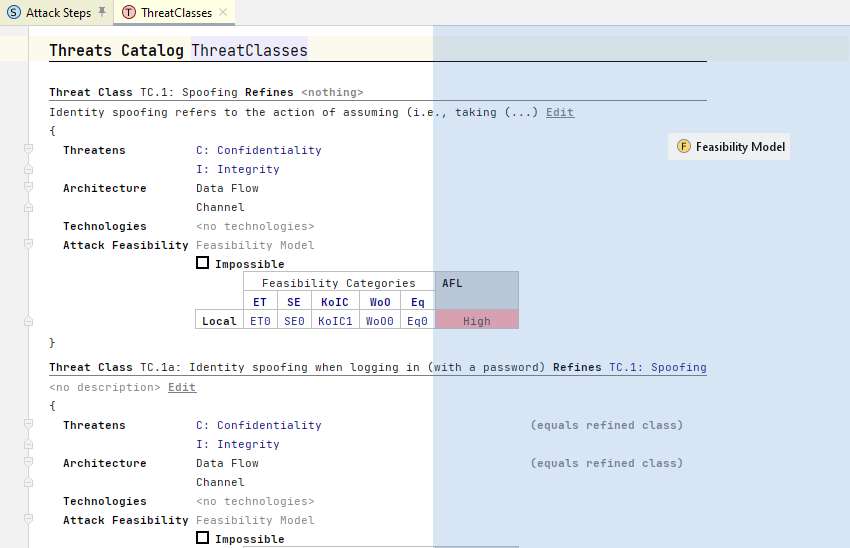
Having several tabs open is always convenient while working on a big project. With SECURE 23.1 you are able to split the main editor screen either horizontally or vertically by dragging and dropping a tab to the desired position. When you are dragging a tab, the editor will highlight possible locations to drop it. itemis SECURE displays pinned tabs at the beginning of the tab bar.
GitHub pull request support
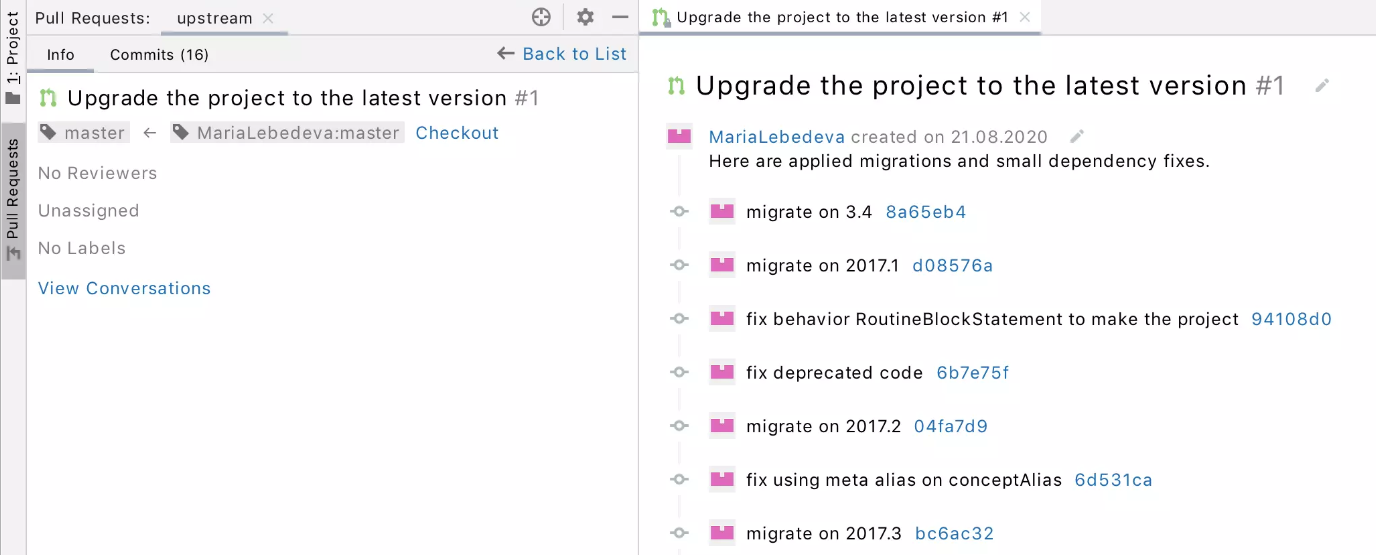
The details of open pull requests are now one click away in a separate vertical tool window. The main editor window shows the conversation, and you can add comments directly. If you have permission to manage pull requests, you can now browse, assign, manage, and merge them, view and submit comments, and accept changes right from inside itemis SECURE.
Various fixes and improvements
-
Improved logging and error messages (e.g. regarding licenses)
-
Default GitHub authorization changed to OAuth
-
New default font "JetBrains Mono"

:::warning Reminder regarding migration of old models Before migrating your projects to SECURE 22.4 you have to migrate to SECURE 22.3 first! :::
Version Mapping
The following table can be used to determine the itemis SECURE version based on the internal plugin version com.moraad.core stored in the .msd file of every solution:
<language slang="l:2bca1aa3-c113-4542-8ac2-2a6a30636981:com.moraad.core" version="<com-moraad-core-version>" />
| com.moraad.core version | itemis SECURE version |
|---|---|
| 87 | 23.1 |
| 86 | 22.4 |
| 81 | 22.3 |
| 80 | 22.2 |
| 78 | 22.1 |
| 74 | 21.3 |
The table in the original 23.1 release notes listed 86 for both 23.1 and 22.4. The value above is the corrected one, consistent with every later release.