Threat classes
Open a threat catalog from the repository list of your organization. The page lists its threat classes.
Browse the threat classes
- The tabs above the list group the threat classes. All shows every threat class; which further tabs a catalog has depends on its contents.
- Each row shows the name of a threat class and its ID, such as TC.1, and on the right its feasibility rating per category: ET (elapsed time), SE (specialist expertise), KoIC (knowledge of the item or component), WoO (window of opportunity) and Eq (equipment). The number is the value of the option rated in that category.
- A threat class can have sub-threat classes that refine it. A row with an arrow in front has sub-threat classes; click the arrow to show or hide them. The arrow button below the list expands or collapses all threat classes.
How feasibility is rated is described in Configuration aspects.
Look at a threat class
Click a threat class to open its details in a panel on the right. × closes the panel.
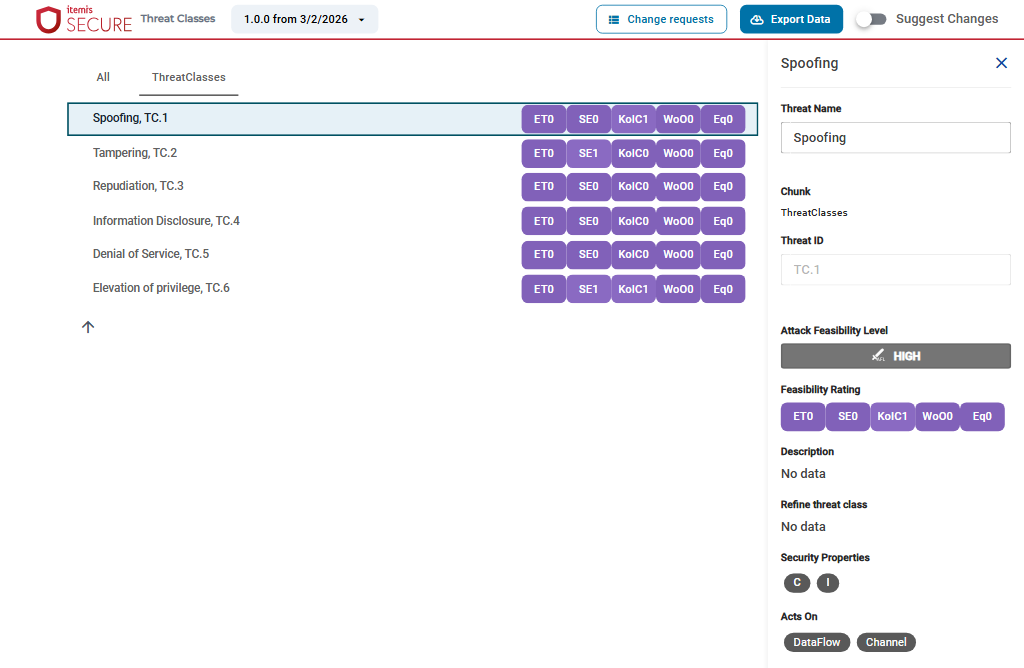
- Threat Name and Threat ID: the name and the ID of the threat class.
- Chunk: the tab the threat class is listed on.
- Attack Feasibility Level: the level that results from the feasibility rating.
- Feasibility Rating: the option rated per category.
- Description.
- Refine threat class: the threat class this one refines, if it is a sub-threat class.
- Security Properties: the security properties the threat class threatens.
- Acts On: the kinds of system elements the threat class acts on, such as Component or DataFlow.
Suggest changes
Threat classes are changed as suggestions, which you then send as a change request. Switch on Suggest Changes at the top right. The fields in the panel become editable, and the toolbar shows Create change request.
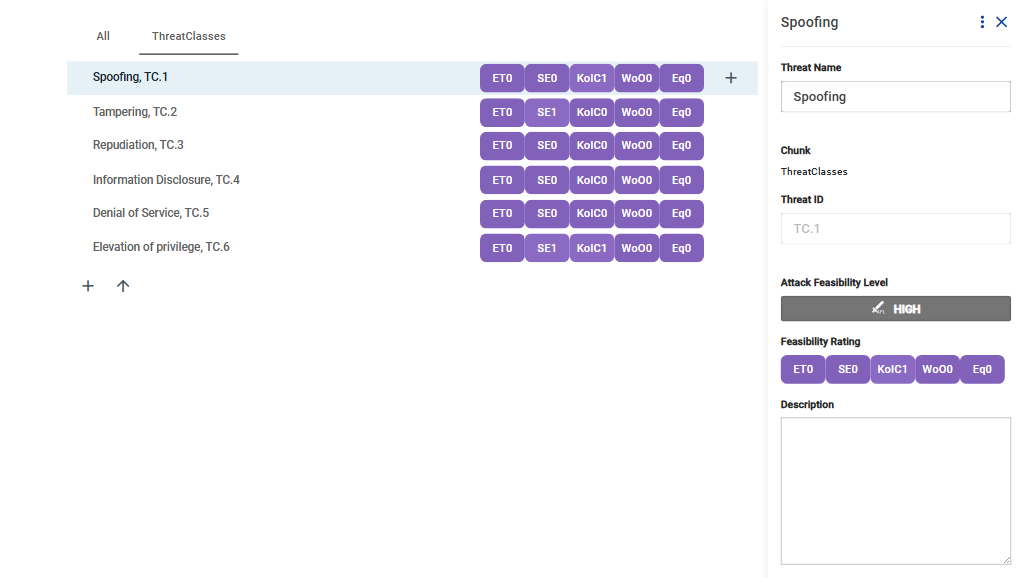
Your suggestions are kept in this browser tab, also when you reload the page, until you create a change request from them or reset them. Closing the tab discards them. The number on Create change request counts them.
Add a threat class
- Click + below the list. It is shown on the tab that lists the threat classes, such as ThreatClasses.
- Enter the name and click Confirm.
The new threat class gets the next free ID and opens in the panel, where you fill in its details.
Add a sub-threat class
- Move the mouse over the threat class to refine and click + at the end of its row. You can also open the threat class and choose Add new sub threat class from ⋮ at the top of the panel.
- Enter the name and click Confirm.
A sub-threat class starts with the feasibility rating of the threat class it refines. In Refine threat class, you can choose another threat class to refine, or remove the reference with ×.
Change a threat class
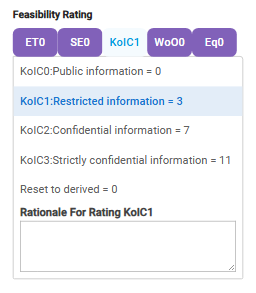
Open the threat class and change its fields in the panel. To rate the feasibility, click a category under Feasibility Rating and choose an option. Below the options, Rationale For Rating takes the reason for the rating. Reset to derived removes a rating set here, so that the derived rating applies again.
Delete a threat class
- Open the threat class and choose Delete from ⋮ at the top of the panel.
- Confirm with Delete. Its sub-threat classes are removed as well.
Undo and reset
- Undo takes back your last change.
- Reset All discards all your suggestions, after you confirm with Continue.