Export a repository
The Export dialog downloads a TARA as a file, in one of two formats:
- XSAM: the TARA in XSAM, the XML-based exchange format of itemis SECURE. Other tools can read it; see XSAM and the openXSAM initiative.
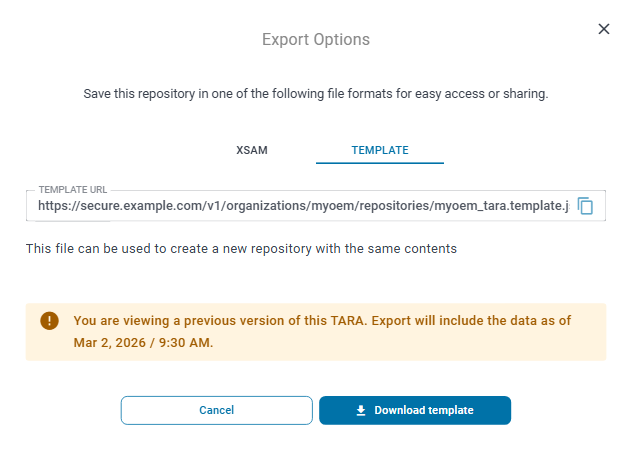
- TEMPLATE: a file you can create a new repository from, with the same contents as the TARA.
Export a TARA
- Open the TARA.
- Click ⋮ next to the repository name in the app bar and choose Export.
- Select the tab of the format you want, XSAM or TEMPLATE.
- Click Download XSAM or Download template.
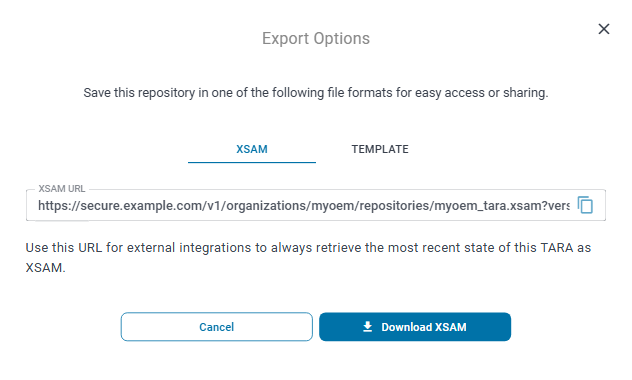
The field above the explanation, XSAM URL or TEMPLATE URL, holds the address of the file. The button at its end copies the address. The address contains the version you are looking at and does not pick up later changes, although the dialog says it always retrieves the most recent state.
Which tabs the dialog shows depends on your role. Owners of the organization see both tabs, and so does everyone who holds the role TARA Author, TARA Contributor or TARA Viewer in the TARA. If the dialog shows no tab, your role does not let you export this repository. The roles are described in Roles and permissions.
Export a previous version
The export contains the version of the TARA you are looking at. To export an earlier state, first open that version from the Versions sidebar (see Look at a past version), then open the Export dialog. The dialog then says "You are viewing a previous version of this TARA. Export will include the data as of …", followed by the date and time of that version.
Export a threat catalog
In a threat catalog, the Export Data button at the top of the catalog downloads the catalog as an XSAM file, in the catalog version you are looking at.