Delete a repository
Deleting a repository removes it with all its contents and versions, for everyone in the organization. This cannot be undone.
You may delete a TARA as its TARA Author, and a threat catalog as its Catalog Maintainer. Owners of the organization may delete every repository of the organization.
-
In the repository list, point to the repository and click ⋮ at its right, then Delete. If the menu has no Delete, you may not delete the repository.
-
SECURE Web App asks whether you are sure. Click YES, continue with the process.

-
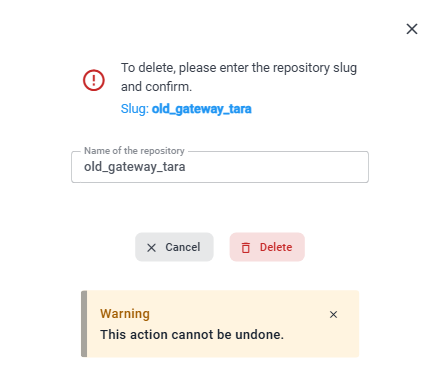
Type the slug of the repository, shown after Slug:, into the field. The field is labeled Name of the repository, but it expects the slug. Pasting into the field is not possible.
-
Delete becomes available once the slug matches. Click Delete.
SECURE Web App confirms with "The repository has been successfully deleted." and removes the repository from the list. Links to the repository no longer work: a link to a deleted TARA leads to Repository unavailable.