Assumptions
The assumptions of the TARA are listed under Conception, on the tab Assumptions. An assumption can limit the risk, impact or feasibility level of the attack paths it is part of. The concept is explained in Assumptions.
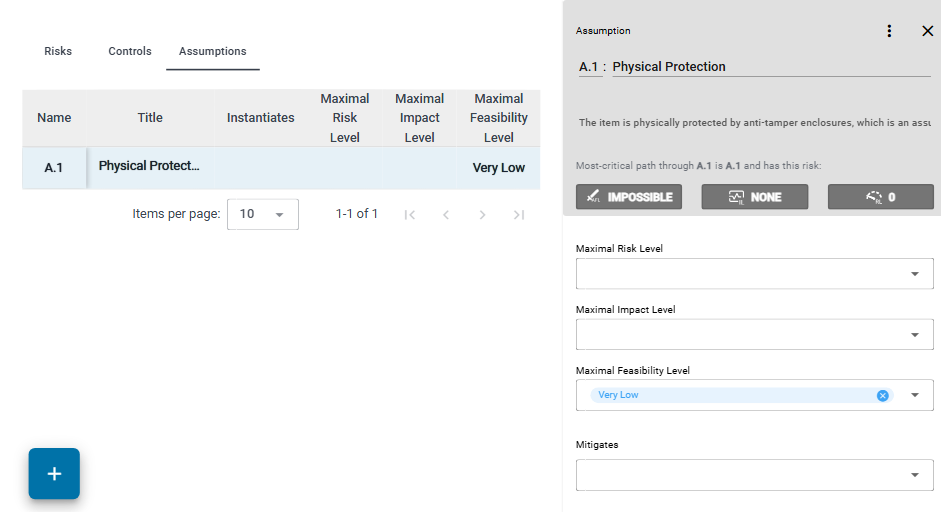
The table
The table has one row per assumption: Name, Title, Instantiates, Maximal Risk Level, Maximal Impact Level and Maximal Feasibility Level. Click a row to open the assumption in the element column.
Create and edit an assumption
If you can edit the repository, click + below the table to add an assumption. It gets the next free name, for example A.2, and opens in the element column. There you set:
- Maximal Risk Level, Maximal Impact Level and Maximal Feasibility Level: the highest level the assumption allows. The levels come from the method configuration; see Configuration Aspects.
- Mitigates: the attack steps the assumption mitigates. This is the same link as Mitigated By of the attack step on Feasibility Rating.