Revert to a version
Reverting makes an earlier state of a TARA its current state again, for example to undo a series of changes. If you can edit the repository, you can revert it to an earlier version.
-
In the Versions sidebar, move the mouse over the version you want to go back to. To check its contents first, click it and look at the TARA as it was; see Browse and view versions.
-
Click ⋮ on the version, then Revert to this version.
-
SECURE Web App asks you to confirm. Click Yes, revert repository, or Cancel to keep the current state.
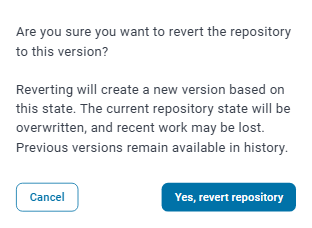
Despite what the confirmation says, no work is lost: the current state stays in the history as the version right before the revert, and you can revert to it to undo the revert.
The TARA now has the contents of the version you picked. Reverting does not delete any version: it adds a new version on top of the list, and the versions in between stay in the history. If you change your mind, you can revert to one of them in the same way.